21
3. Press the button one more time to finish the Clock’s Setting
Setting the Timer
The Timer can be set when the motor or lamp is on. Timer duration is set in three
periods: 5 minutes/ 15 minutes / 30 minutes/ Cancel.
1.
To set the timer, touch the button once for 5 minutes, twice for 15 minutes,
thrice for 30 minutes, four times to cancel, five times for 5 minutes and so on.
After the timer’s time is finish, the motor and lamp will turn off automatically.
2.
To change an ongoing timer, touch the for 5 seconds or until the correct
time is displayed.
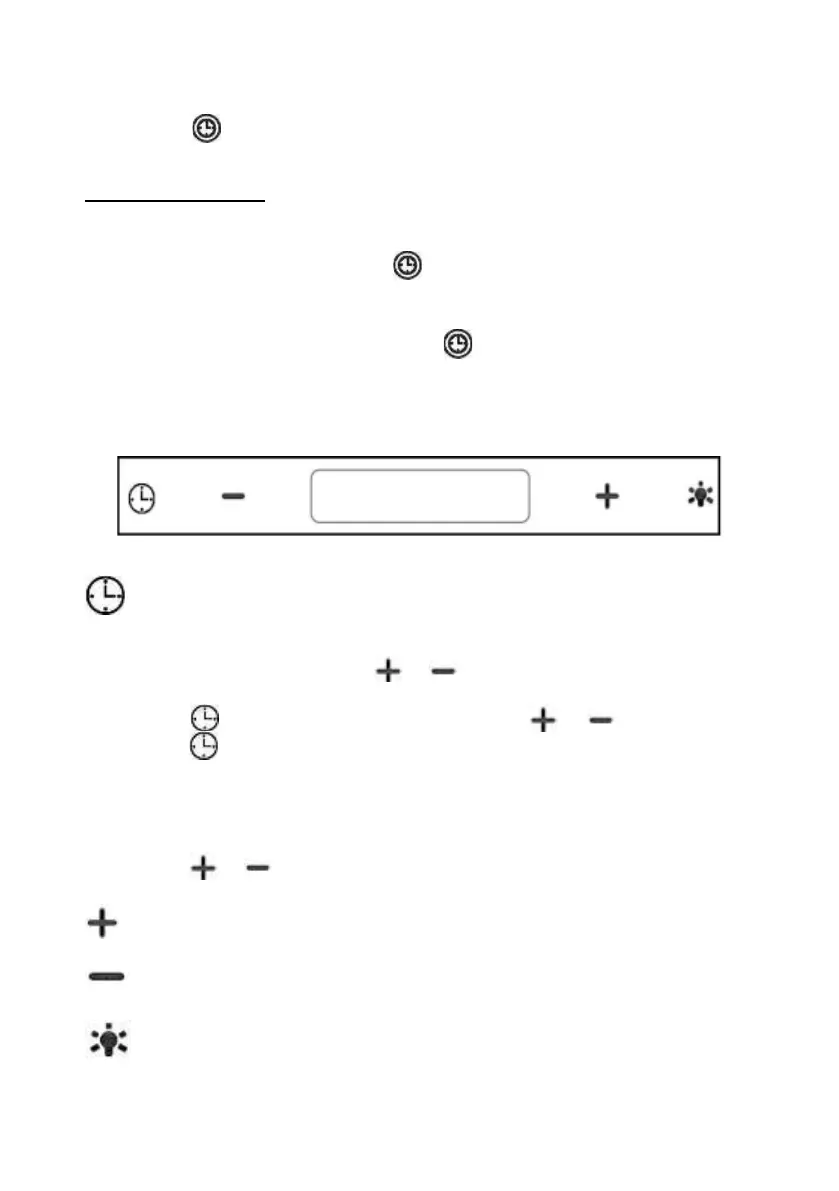
Touch control
After plug in power, it will automatically sets in standby mode
Timer’s Button
Times setting keep pressing it while in standby mode to enter time setting,
hour display will flash, press or to set the time.
.
Press to change into minute setting, press or to set the time,
press again or wait 10s to finish the time setting.
Timer setting, short press during working mode, pre-set cycle:
off→15mins→30mins→45mins→off:
off→15menit→30menit→45menit→off.
Press or to adjust the time unless when the timer setting is “off”
Speed increase button
Speed decrease button
Light button


 To Next Page