11FR-W1812; FR-W1813
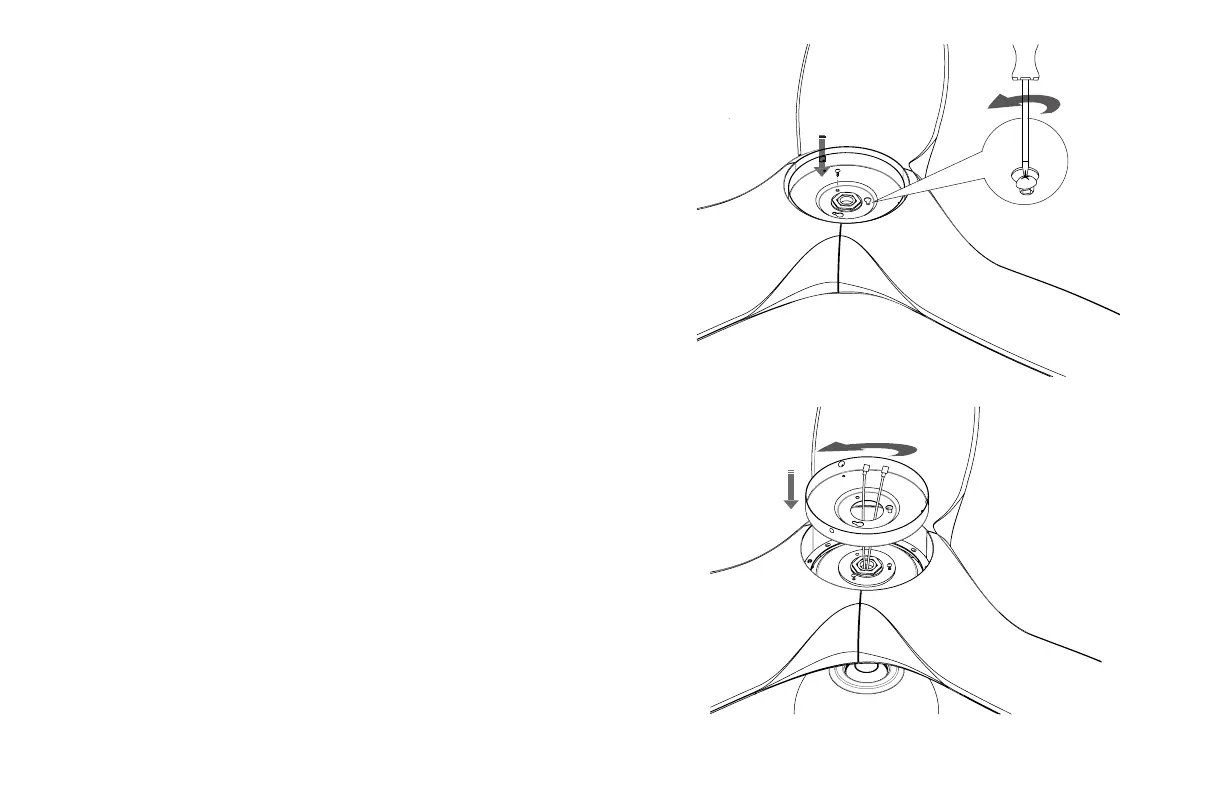
FIGURE 12
8. INSTALLING THE LIGHT KIT PLATE
1. Remove one of the three mounting plate screws from the mount-
ing ring and loosen the other two screws (Do not remove)
(Fig. 11).
2. Place the key holes in the light kit plate over the two screws pre-
viously loosened from the mounting ring. Turn the light kit plate
until it locks in place at the narrow section of the key holes
(Fig. 12).
3. Securely tighten the two light kit plate screws previously removed.
FIGURE 11
NOTE: If installing the LED luminaire, skip to step 13 before proceed-
ing to step 9.


 To Next Page