26 FR-W1812; FR-W1813
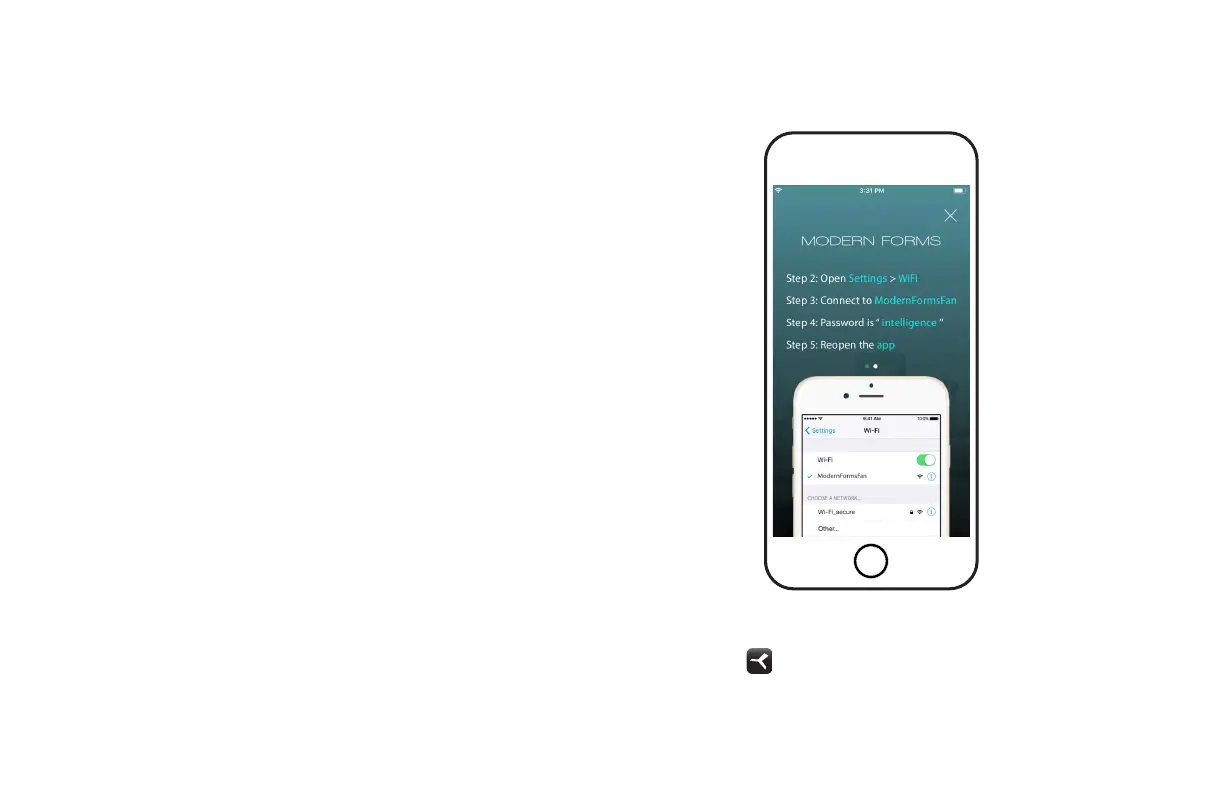
In addition to the included wall control, you can control your fan
through the Modern Forms app.
1. To use this app, download it for free from the App Store or
Google Play.
2. Open the app to create your account. You can also log in
using your Facebook or Google account.
3. Next, set up a Wi-Fi connection. You’ll need the SSID and
Wi-Fi password for the network you wish to connect to.
4. You’ll receive a prompt to name your fan device and upload
an optional picture of it if you choose.
14. Application
App Instructions and Smart Home Device Integration
modernforms.com/mfappins


 To Next Page