Unpairing from all BLE hosts
CAUTION: This procedure will remove pairing with all paired BLE hosts on the Glove80. Please
use this procedure with care.
NOTE: You can also use this procedure when you have difficulties pairing with a host that you
may have previously paired with, or attempted to pair with.
Procedure:
1. Press the key(s) to clear all Bluetooth pairings for all 4 BT Profiles. On the factory default
key layout, the keys are Magic + F10.
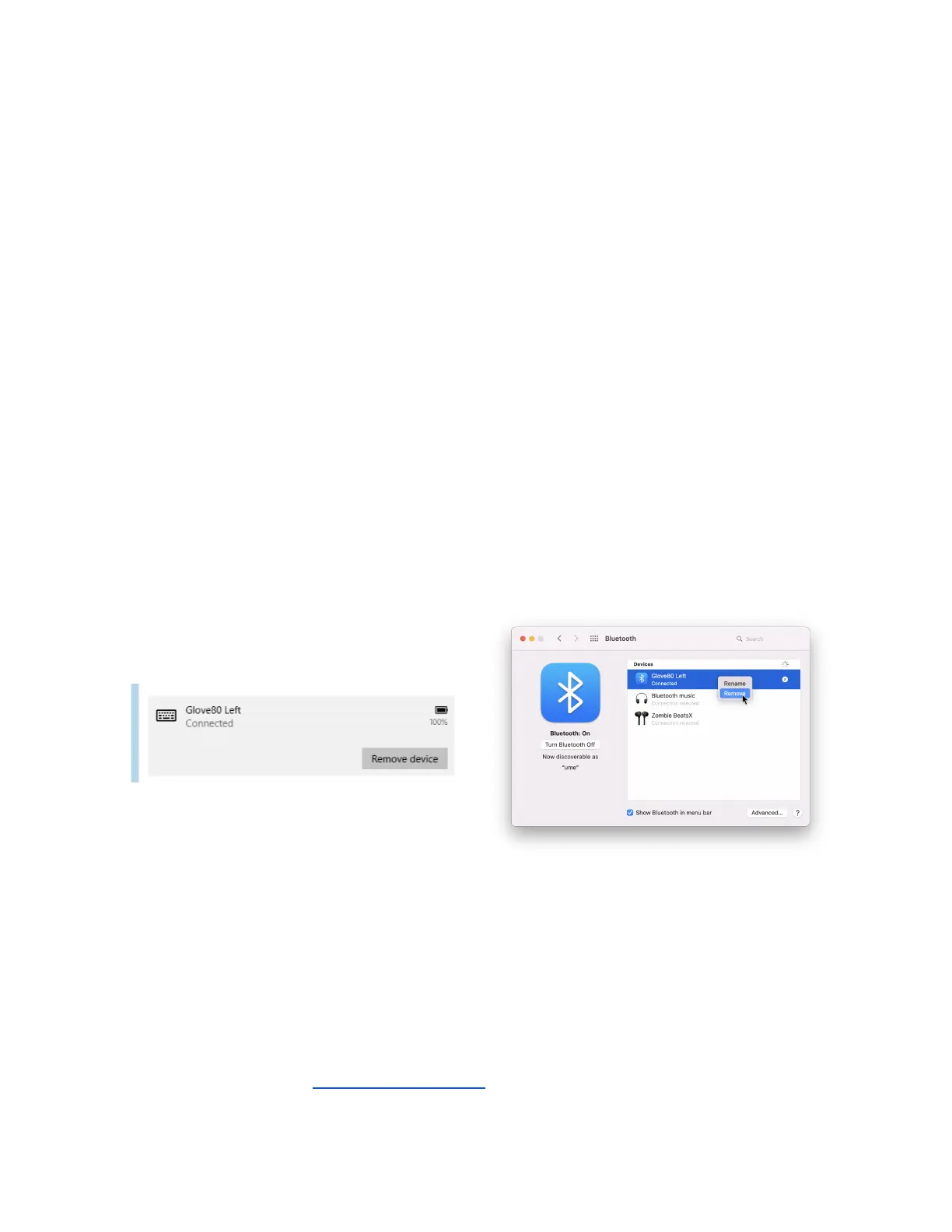
2. On each BLE host that was previously paired, use the procedure appropriate to the
operating system to remove the pairing:
4. Go to Settings -> Bluetooth and other
devices
5. Select the paired “Glove80 Left”
device
6. Click on the “Remove Device” button
4. Go to System Preferences ->
Bluetooth
5. Right-click the paired “Glove80 Left”
device from “Devices”
6. Select “Remove”
Removing a pairing on Windows 10
Removing a pairing on MacOS
BT Indicators
Glove80 provides indicators to show the status of each BT Profile, to indicate if a BT Profile is
paired, or connected, or working as the output device.
Please see the section on BT and USB indicators for further details.
Page 22 Glove80 User Guide



 To Next Page