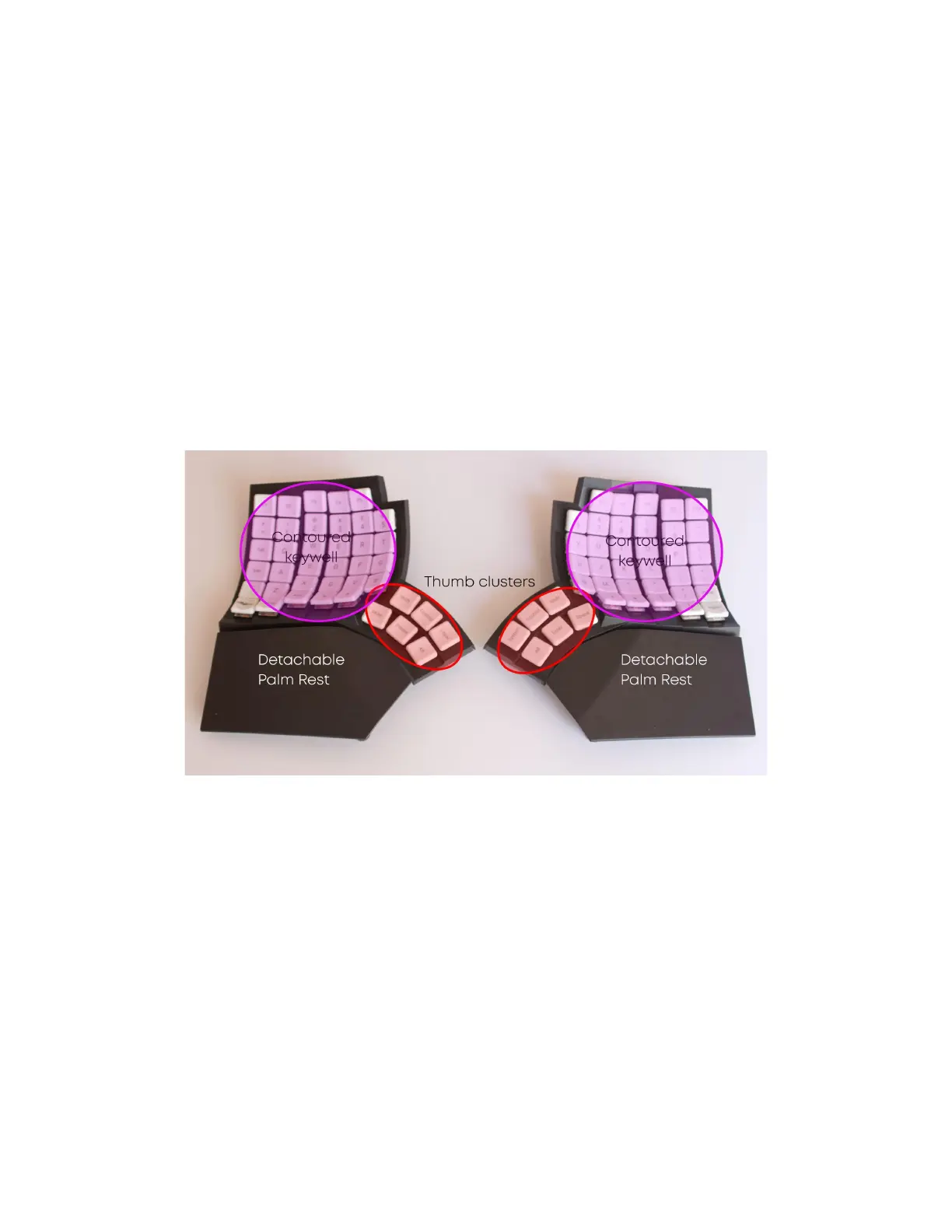
A look at Glove80
Glove80 is a split keyboard, consisting of a left half and a right half.
The left half is called the Central in ZMK vocabulary and acts as the “brain” of Glove80. When
connected to a host like a PC or a phone the connection is always made with the left half. The
left half communicates with the right half (which is called the Peripheral in ZMK vocabulary)
through a Bluetooth Low Energy connection.
When connecting Glove80 to a host with a USB cable, the USB cable must be plugged into the
left half. When Glove80 is connected to the host via Bluetooth Low Energy (BT Low Energy or
BLE), the left half is the half that is talking to the host wirelessly.
Contoured keywell: Keys to type with your four fingers on each hand
Thumb cluster: Keys to type with your thumbs
Detachable palm rest: Optional palm rest
Page 6 Glove80 User Guide



 To Next Page