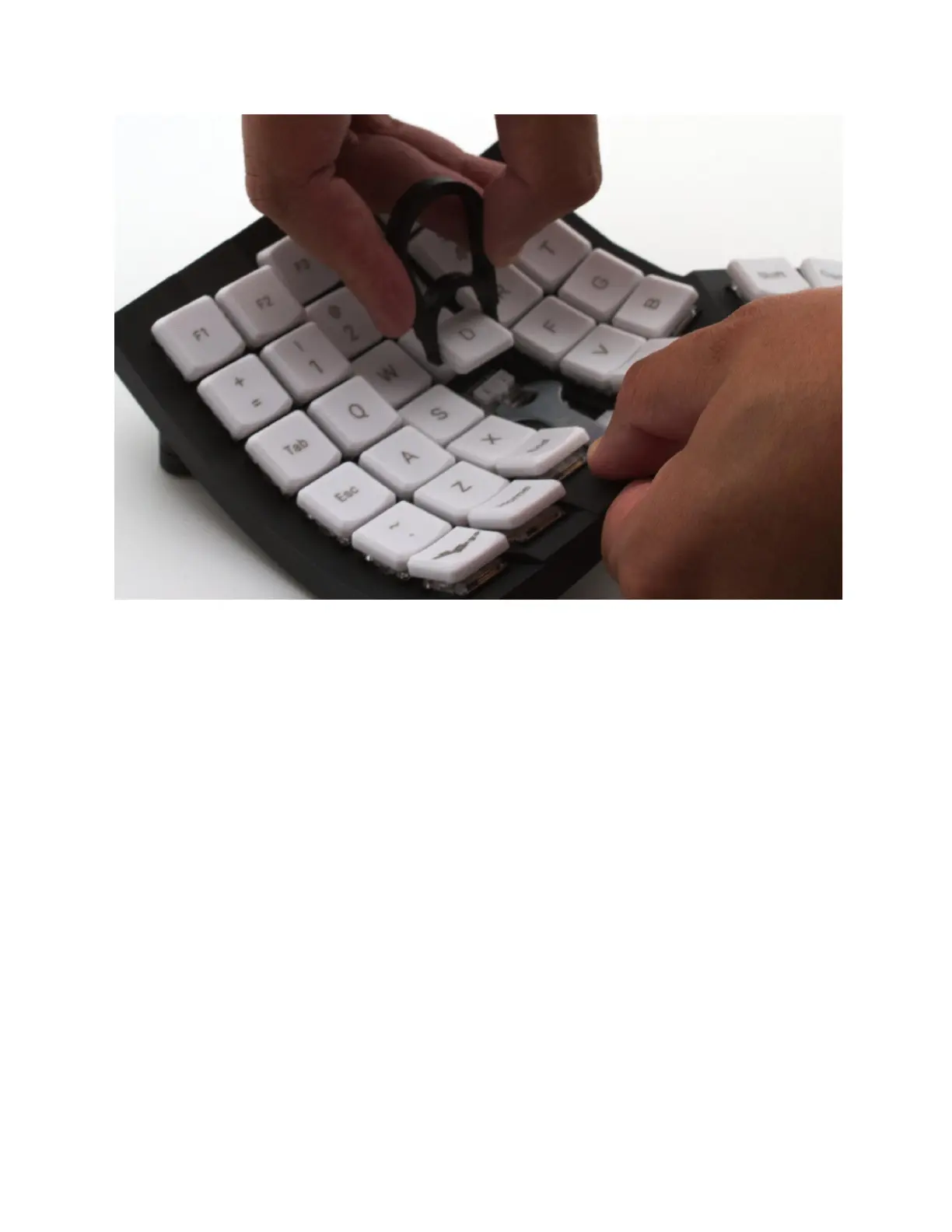
Here is how to match the keycaps with the modified key layout:
1. Use the included keycap puller to gently pull out the keycaps that no longer match the
key layout.
WARNING: DO NOT APPLY EXCESSIVE FORCE. It is important that you pull out the
keycap gently; excess force can cause permanent damage to the key switch and/or
PCB. DAMAGE CAUSED BY KEYCAP REPLACEMENT IS NOT COVERED BY THE
WARRANTY. If the keycap feels stuck, or if the key switch pops out of the keyboard
case, try to apply one of the tips below.
TIP: Do not continue to pull out the keycap if the key switch pops out of the
keyboard case. Push the key switch back in. Use the wrench included with
Glove80 or a screwdriver or similar tools to hold down the key switch, then try to
pull out the keycap with the keycap puller.
TIP: If the keycap you need to remove is surrounded by other keys, you may have
to first remove other keycaps to reach it.
2. Push the correct keycaps gently onto the switches to match the modified key layout.
Page 32 Glove80 User Guide



 To Next Page