b. Install a suitable replacement Choc v1 key switch. Visually inspect that the key
switch is sitting flat on the case, and that the two electrical pins are through the
PCB.
7. Solder the pins of each key switch to a high quality. Please ensure that the soldering
temperature and duration complies with the Kailh Choc v1 datasheets
(http://www.kailh.com/en/Products/Ks/CS/).
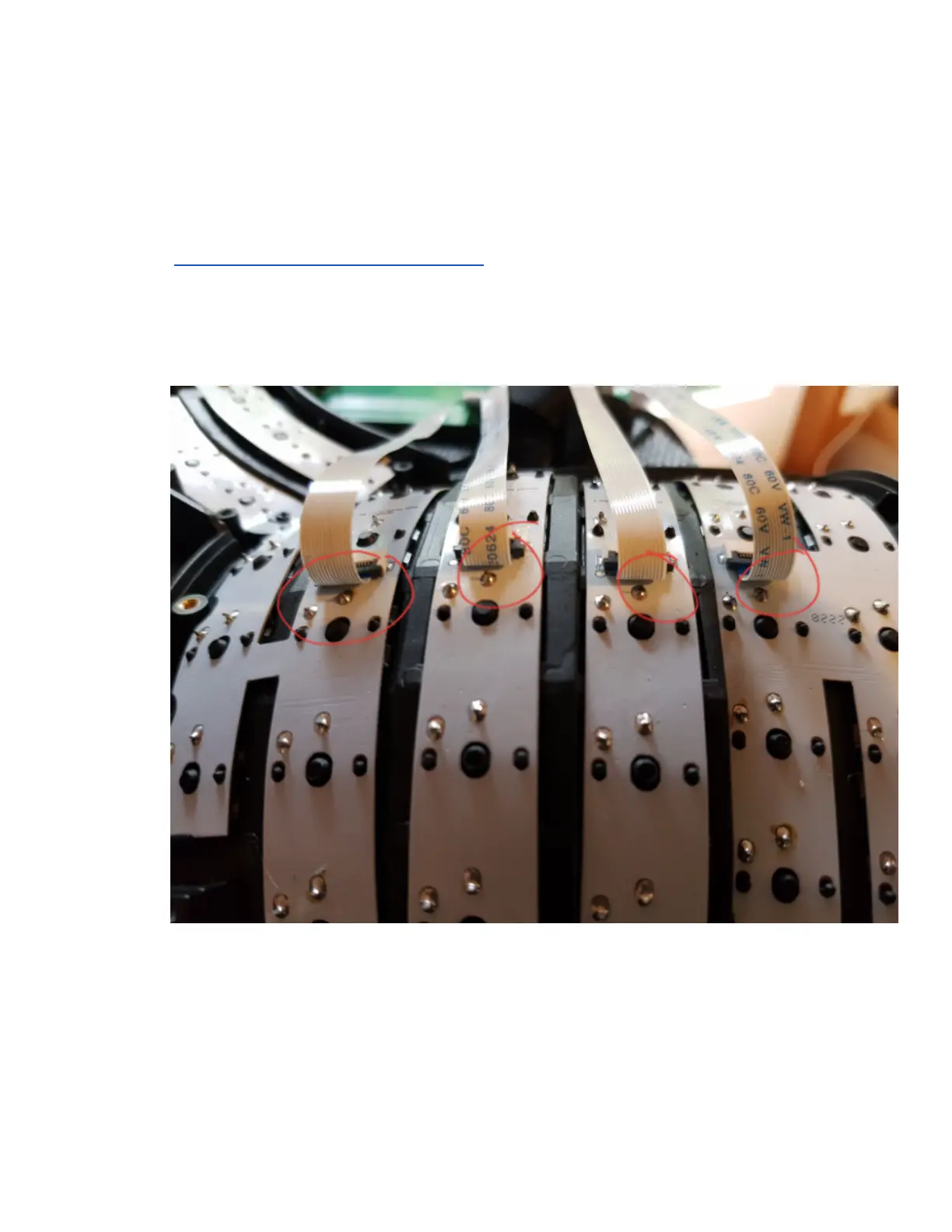
8. On each side of the keyboard, please use a plier and clip short the key switch legs
circled in the photo below. This step is essential for preventing damage to FCC cables.
[Note: the photo is shown with FCC cables attached, to demonstrate the risk of damage
to the FCC cables if these switch legs are not clipped]
9. Reconnect the 4 FCC cables.
10. Close the case shell and install the case screws.
Page 46 Glove80 User Guide



 To Next Page