-32-
Revision 5/F3528
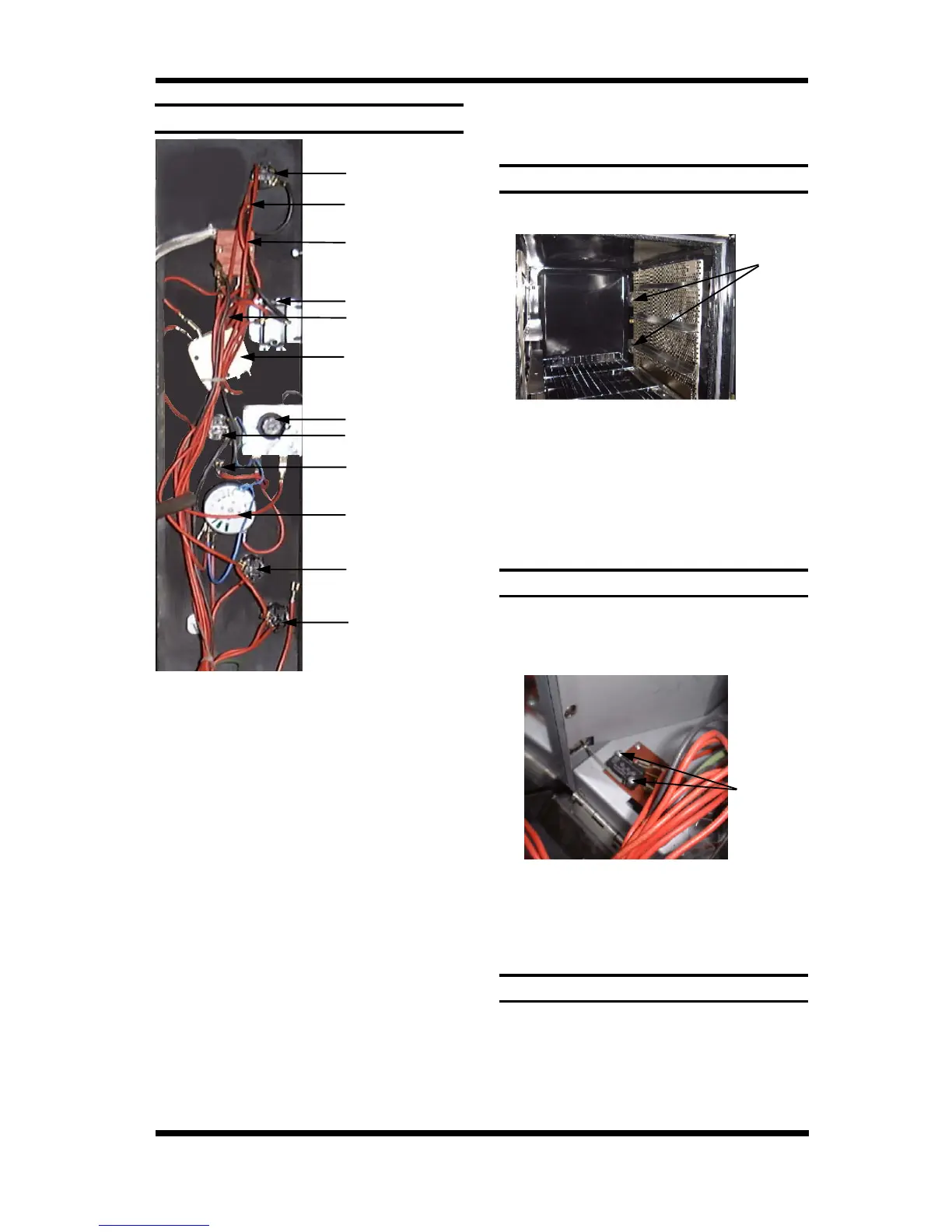
Two Screws
Buzzer
Power Switch
Heating Indicator
Thermostat
Bake Time Up
Indicator
Roast‘n Hold Switch
Roast ‘n Hold Time
Up Indicator
Roast Timer
Steam Switch
Light Switch
Hold Thermostat
Bake Timer
6.3 REPLACEMENT
6.3.1 LAMP BULB / GLASS
6.3.2 DOOR MICROSWITCH
1) Unscrew lamp cover(s).
1) Hinge down control panel (refer 6.2.1)
2) Remove two screws holding microswitch
to bracket.
6.3.3 INDICATOR NEON LIGHT
1) With control panel open (refer 6.2.1)
remove the wires from the back of the
neon.
2) Unscrew bulb out of fitting.
3) Screw in replacement bulb.
4) Ensure seal fitted. Screw lamp cover into
holder with baffle fitted (do not over
tighten).
Lamp
Covers
Figure 6.3.1
3) Transfer wires to new switch and
re-assemble.
4) Adjust micro-switch (refer 6.4.2).
Figure 6.3.2
6.2.6 CONTROL PANEL—REAR
Figure 6.2.6


 To Next Page