Please unfold page 3. Then you can always see the
operating elements and connections described.
Contents
1 Operating Elements and Connections . . . . . . . . . 10
2 Safety Notes . . . . . . . . . . . . . . . . . . . . . . . . . . . . . 11
3 Applications . . . . . . . . . . . . . . . . . . . . . . . . . . . . . . 11
4 Installation and Setting into Operation . . . . . . . . . 12
5 Operation . . . . . . . . . . . . . . . . . . . . . . . . . . . . . . . 14
6 Specifications . . . . . . . . . . . . . . . . . . . . . . . . . . . . 15
1 Operating Elements and Connections
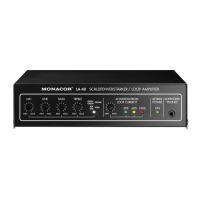
1.1 Front panel
1 Volume control for the microphone
2 Volume control for the audio source at the line input
(13), e. g. TV set
3 Tone control BASS for the bass range
4 Tone control TREBLE for the high range
5 Indicator SIGNAL/PEAK; shows green if an input signal
from the microphone or the audio source is available at
the line input (13); if it shows red, the input is overload-
ed: in this case slightly turn back the corresponding
control MIC (1) or LINE (2)
6 Control for adjusting the loop current (see chapter 4.7)
7 Indicator for the loop current
8 Power indicator
9 Headphone connection
1.2 Rear panel
10 Low-voltage jack 12 V~/1.5 A for connection of the sup-
plied plug-in power supply unit
11 Terminals for the induction loop
12 Terminals for a switch or momentary pushbutton for
releasing a signal sound
13 Line input for connection of an audio source with line
level (e. g. TV set, CD player, cassette recorder)
14 Microphone input, unbalanced 6.3 mm jack with a sup-
ply voltage for electret condenser microphones at the tip
contact
10
GB





 To Next Page