Moneris Core® Move/5000 Wireless Terminal: Setting up Your Hardware 3
Hardware setup
Remove the protective film (if applicable)
If your Move/5000 terminal has a protective film covering the display screen, peel the film off.
Hint: Peel from the top right to the bottom left corner.
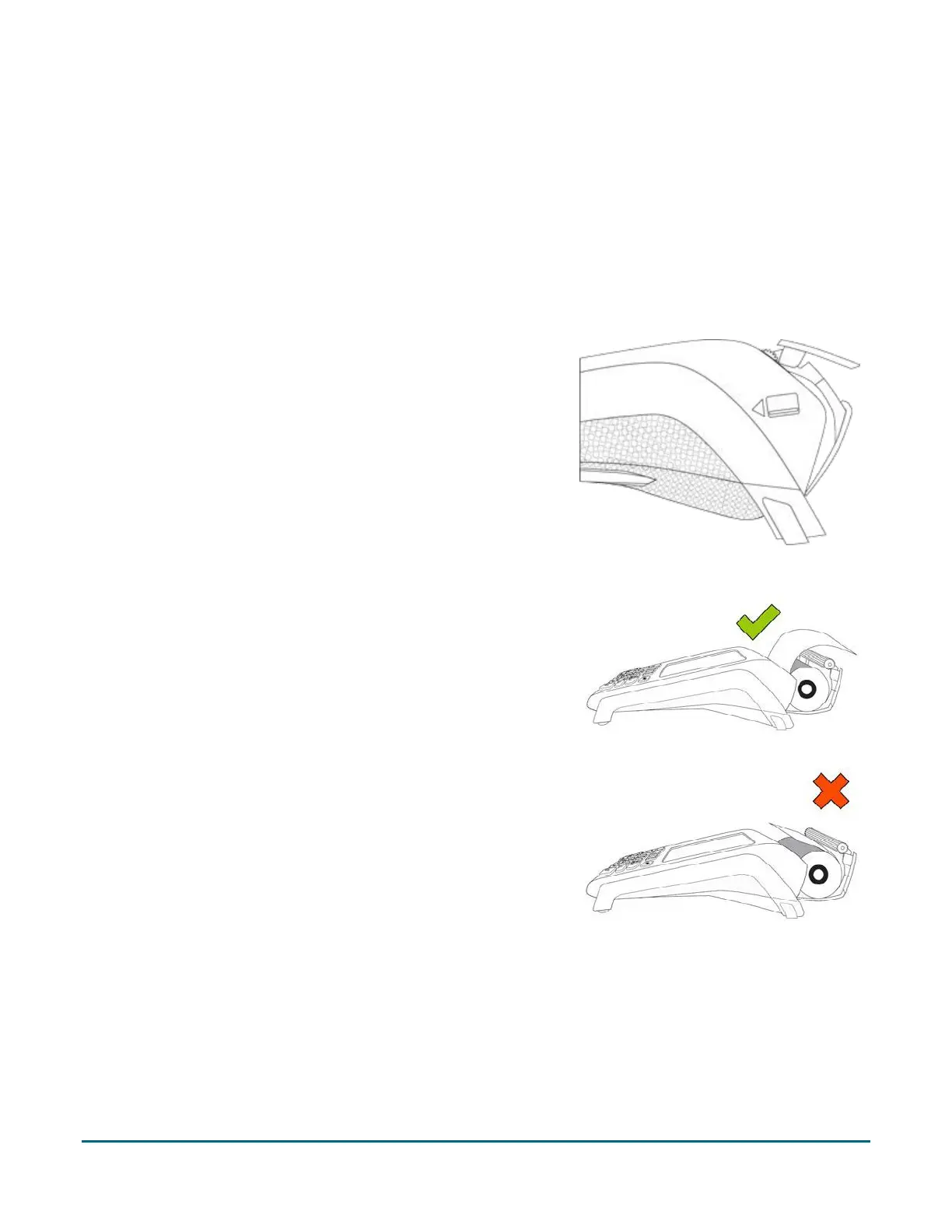
Install the paper roll
1. Lift the printer latch up, and then pull back to open the lid and
expose the paper well.
2. Insert the paper roll into the paper well with the loose end
unrolling from the top of the roll toward the back of the
terminal.
3. Unroll enough paper to extend at least one inch (2.5 cm) over
the top of the lid.
Note: If the paper is installed backward, your printouts will be
blank.
Continued on the next page…


 To Next Page