Moneris Core® Move/5000 Wireless Terminal: Setting up Your Hardware 6
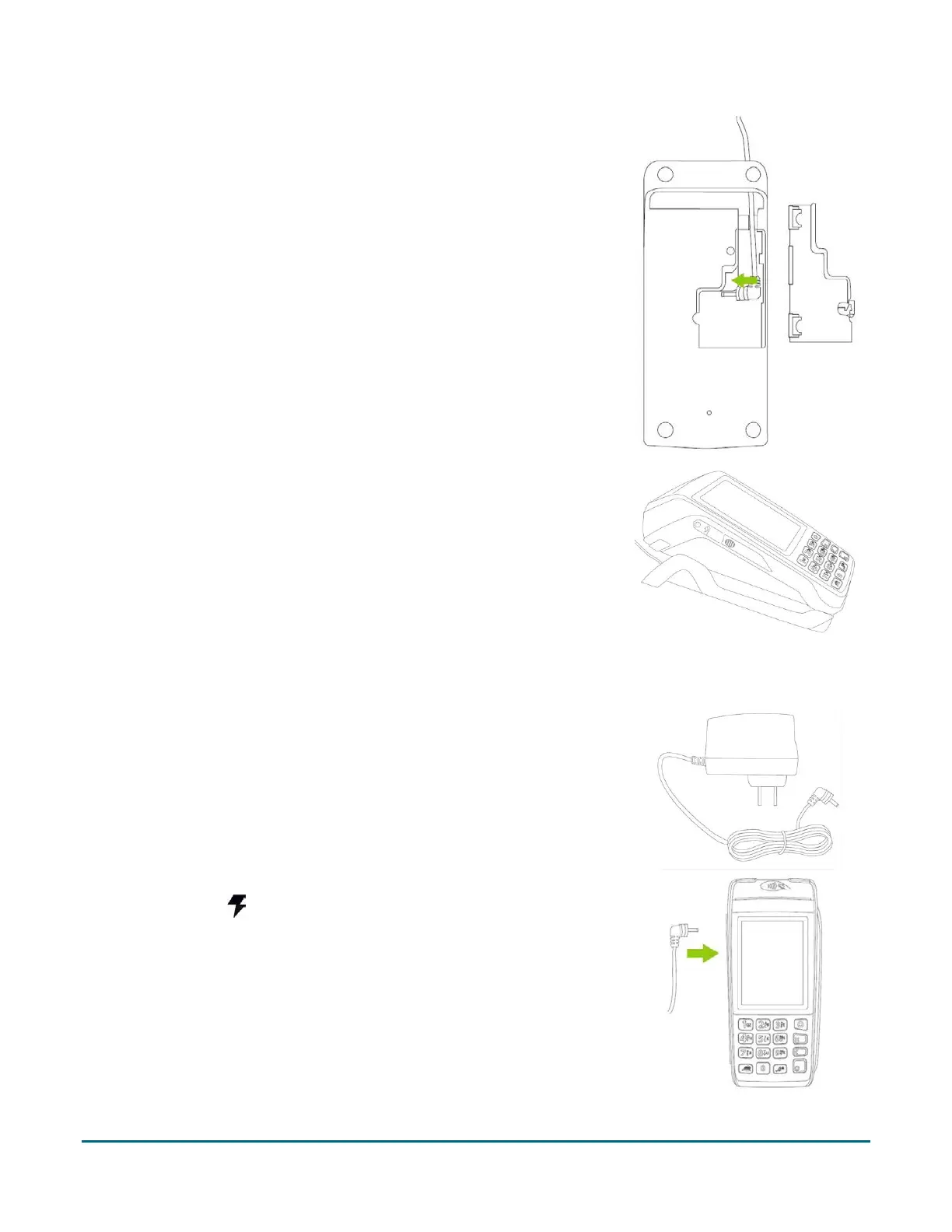
3. Insert the power cable connector into the small circular port (power) in
the underside of the base.
4. Replace the panel cover on the bottom of the base, and turn it back
over.
Plug the other end of the cable into a working power outlet.
5. Dock the terminal on the base. Ensure that the contacts slot on the
underside of the terminal fits securely over the leads prong on the
base.
6. When the terminal powers on, proceed to step 6 on page 7.
Using the direct-to-terminal charge cable
1. Locate the direct-to-terminal charge cable.
2. Locate the power port on the left side of the terminal (marked with the
power symbol ( ).


 To Next Page