15
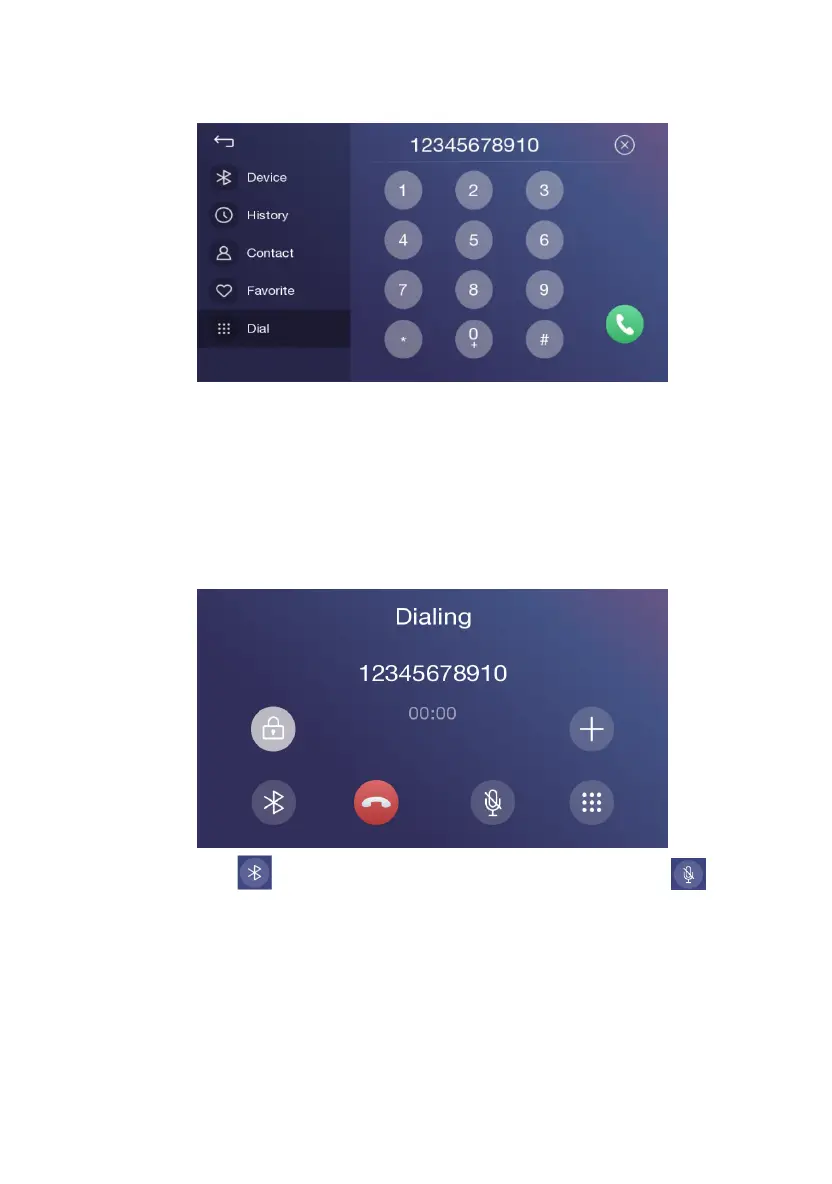
Call Out / Receive Call
1. Dial the phone number for calling;
2. Select a name from the phone book to call;
3. Choose a record in the call history for calling;
4. When call is coming in, choose receiving or hanging up;
Hands-free Mode and Private Mode
During a call, touch【 】to switch between Hands-free mode and private mode; Touch【 】to
mute microphone so that the receiver cannot hear from your side.
Disconnection
1. Touch the connected device name for disconnection;
2. Touch the dustbin next to the device name to disconnect;
3. End the connection directly on the mobile device;


 To Next Page