16
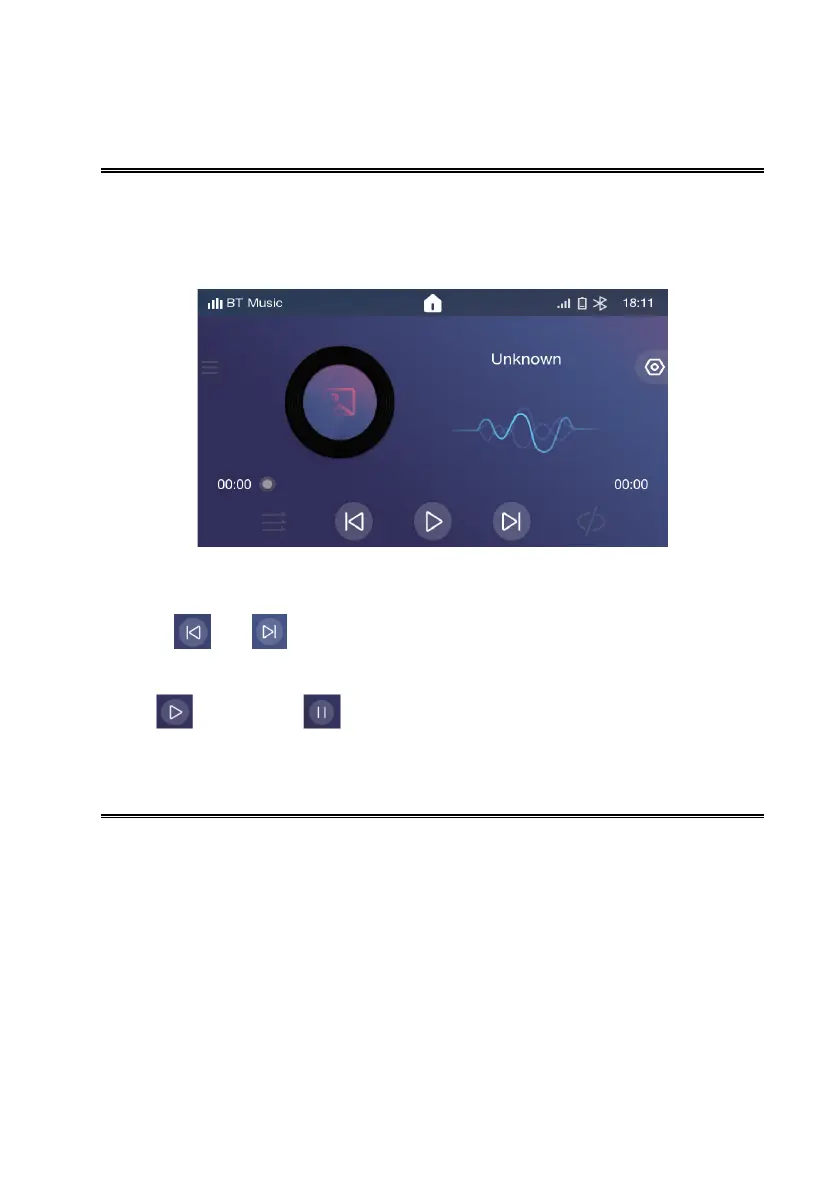
Bluetooth Audio Music
The product supports A2DP、AVRCP、PBAP and HFP protocol;
Make sure Bluetooth device volume is turned to max.
Switch Tracks
1. Touch【 】or【 】to switch to previous or next music;
Play/Pause
Touch【 】to play, touch【 】to pause or operate on the connected device;
Apple CarPlay
iPhone support: minimum iPhone5; Required iOS: minimum iOS 7.1.
Connecting to USB Port
1. Connect the Apple CarPlay compatible device via Lightning® cable (not included).
2.The iPhone will load the Apple CarPlay function.
3.On the display, the Apple CarPlay will illuminate green, touch it to enter the Apple CarPlay menu.
Wireless Connection
1.When connected to Bluetooth, Apple CarPlay will be reminded to load.
2.The iPhone will load the Apple CarPlay function.
3.On the display, the Apple CarPlay will illuminate green, touch it to enter the Apple CarPlay menu.


 To Next Page