25
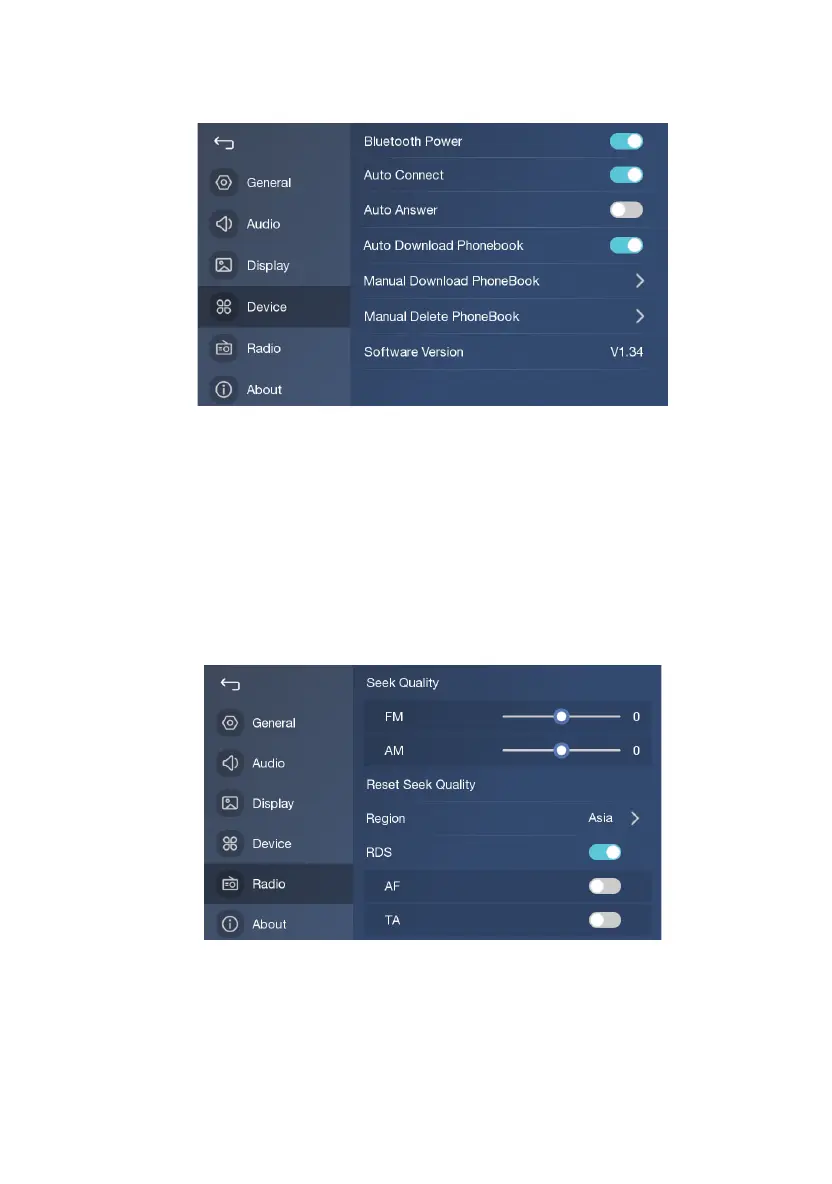
Bluetooth Settings
1. Open / Close Bluetooth;
2. Open / Close automatic connection;
3. Open / Close automatic receiving; if open, the incoming call will be received automatically;
4.Open / Close automatic download PhoneBook; if open, the product will automatically download
PhoneBook from mobile phone when Bluetooth connection is done(need permission of mobile phone );
5.Touch to manual download PhoneBook;
6.Touch to manual delete PhoneBook;
Radio Settings
1. When the scan quality is adjusted to the left, the stop sensitivity will be improved(more stations); On
the
contrary, the stop sensitivity will be decreased(less stations);
2. Touch to recover to default stop sensitivity;
3. Touch to select the region, please do not change the settings arbitrarily;


 To Next Page