24
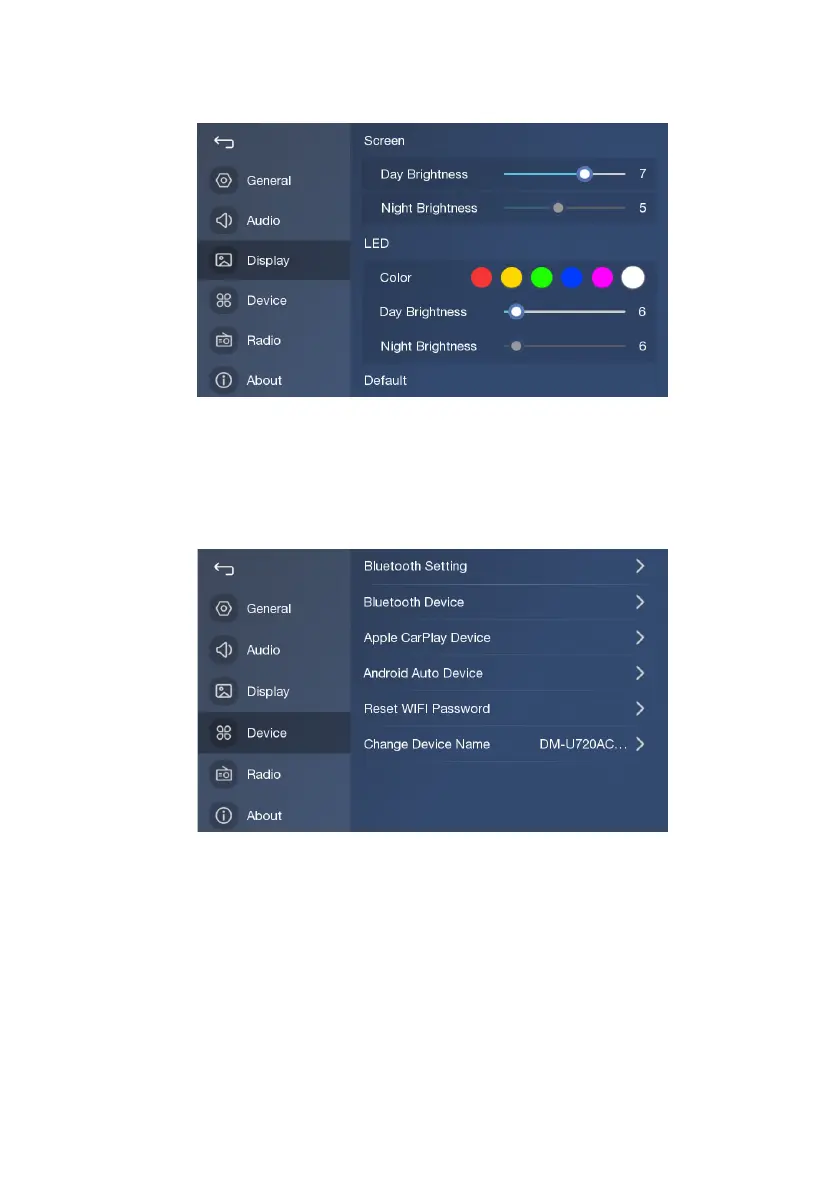
Display Settings
1. Adjust screen brightness (when vehicle light is on, adjust moon brightness);
2. Select LED key color; Adjust LED brightness (when vehicle light is on, adjust moon brightness);
3. Recover to default values;
Device Settings
1. Touch to enter Bluetooth Setting;
2. Touch to view Bluetooth device list;
3. Touch to view the list of paired Apple CarPlay device;
4. Touch to view the list of paired Android Auto device;
5. Touch to reset WIFI password;
6. Touch to modify the product name


 To Next Page