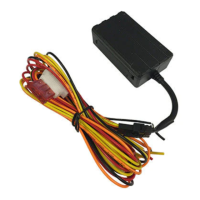
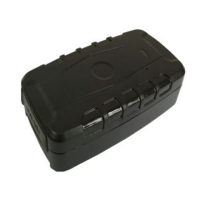
USER FEATURES
You can control by either text messages from your mobile phone - see chart on page 12, or from
the mobile APP’s ‘Commands’.
TIME
The time may need to be reset depending on where this product is used. See page 12 for the
text command that changes the time.
ARM
- ALERTS ON
To receive any of these alerts the tracker must be armed.
a.
A geo-fenced area has been breached (sent whether armed or disarmed)
b.
Vibration sensor activated
c.
Vehicle has been ‘moved’
d.
Vehicle speeding
e.
Ignition has been turned on
f.
Main power has been disconnected (sent whether armed or disarmed)
With ignition off, the tracker is ‘armed’ by using the APP under
‘Command’
or send this text message
111
The reply will show the tracker status:- GSM:2 Power:7 Arm delay in 0s
eg: GSM is signal strength 1 = strong ~ 5 = weak. Power is percentage.
DISARM
- ALERTS OFF (Disarm before driving)
It is disarmed via the APP command or send a text message:-
000
SHOCK (VIBRATION) ALERT TYPES
On page 12 is a command chart of text messages that can be sent to the tracker.
You can choose the type of alert you wish to receive;
•
Phone call only
•
Text alert only
•
Receive both phone call and text
•
None
SHOCK ALERT
A shock/vibration will cause the tracker to send you an alert.
These alerts can be a either a text message, a phone call or both.
See the programming chart for programming and sensitivity options.
IGNITION ALERT
If the ignition of the vehicle is turned on, you will receive an alert.



 To Next Page