The Monitor Audio IMS-4 is a music streamer designed for custom installation projects, featuring a slim 1U rack-mount form factor. It utilizes BluOS technology to deliver lossless music at up to 24-bit/192 kHz quality across four zones in a home network. Multiple IMS-4 streamers can be combined to support up to 64 zones, capable of playing in perfect sync or streaming different content simultaneously to separate zones. The device also supports Master Quality Authenticated (MQA) recordings, allowing users to experience music as the artist intended.
Function Description:
The IMS-4 acts as a central hub for streaming music and integrating various audio sources into a multi-room system. It is designed to be partnered with an installation amplifier, such as the Monitor Audio IA150-8C. Integration with control systems like Crestron, Control4, and RTI is supported, and it is compatible with other BluOS-enabled devices.
Key Features:
- Multi-Zone Audio: Streams music to 4 independent zones, expandable to 64 zones with multiple IMS-4 units.
- High-Resolution Audio: Supports up to 24-bit/192 kHz lossless audio streaming.
- MQA Support: Accesses and plays Master Quality Authenticated recordings.
- Source Connectivity: Includes analogue and digital inputs for non-network sources (e.g., cable box), making them available in all zones.
- System Interrupt: Features a system interrupt for doorbells or fire alarms, allowing chimes or system muting.
- Control: Controlled via the BluOS application for iOS, Android, Windows, and Mac, or through integrated control systems.
- Rack Mountable: Designed for standard 19-inch equipment racks with included brackets.
Important Technical Specifications:
- IP Control: BluOS™
- Channel Number / Rooms: 4 Rooms
- Maximum Input Voltage (RMS): 2.2 V
- Signal to Noise Ratio: 110 dBA
- Sample Rate: Up to 24-bit/192 kHz
- Supported File Formats: MP3, AAC, WMA, WMA-L, OGG Vorbis, FLAC, ALAC, WAV, AIFF, MQA, HRA
- Supported Cloud Services: Custom Channels, Sound Machine, QSIC, Spotify Connect, Tidal, Amazon, Qobuz, Napster, Deezer, LiveXLive, Idagio, nugs.net, KKBox, Bugs!, DMH
- Supported Operating Systems: Microsoft Windows 7 SP1 or higher, Apple Macintosh OSX 10.7.5 or higher
- Free Internet Radio: TuneIn Radio, iHeartRadio, Calm Radio, Radio Paradise, Radio.com
- Integration Partners: Control4, RTI, Crestron, URC, roon
- Input Connections:
- Analogue: RCA Stereo
- Digital SPDIF: Optical (TOSLINK)
- USB: Type A (FAT32 Formatted)
- Output Connections:
- Analogue: 4 x RCA Stereo
- Digital SPDIF: 4 x Optical (TOSLINK)
- 4 x Coaxial
- IP Communication: RJ45, TCP/IP (1000 Base T)
- User Interface: Free Android, iOS, Windows applications
- Rack Height: 1U
- Dimensions (Without Feet) (H x W x D): 43.1 x 438 x 236.1 mm (1 11/16 x 17 1/4 x 9 5/16")
- Height (With Feet): 45.1 mm (1 13/16")
- Width Including Rack Mounting Brackets: 482 mm (19")
- Mains Operating Voltage: 100-240 V 50/60 Hz
- Standby Power Consumption: <1 W
- Network Standby Power Consumption: <6 W
- Weight: 2.8 kg (6 lb 3 oz)
- Apple AirPlay: Supports AirPlay 2 (requires iOS 11.4 or later)
Usage Features:
- Power Control: A single press of the front power button wakes the unit; holding it for 5 seconds puts it into standby.
- Status LED: A multi-color LED indicates the unit's status (booting up, indexing, connected to network, no internet gateway, upgrade mode, factory reset in progress).
- Network Connection: Connects via Ethernet cable to a router/switch. The LED status helps troubleshoot network connectivity.
- BluOS Application: The companion app (iOS, Android, Windows, Mac) is used for initial setup, room configuration, source selection, volume control, and managing music services.
- Room Management: Rooms can be renamed, grouped for synchronized playback, and individually controlled.
- Music Library: Configures and searches music on local networks and attached USB devices. Supports reindexing for troubleshooting or updates.
- Playback Control:
- Auto Fill: Automatically adds songs to the current playing list based on selected tracks.
- Play Queue: Manages the order of tracks, allows adding songs immediately, next, or last.
- Playlists: Saves current play queues as playlists for future listening.
- DSD Playback: Converts DSD files to FLAC for playback from local computers or USB drives.
- Advanced Settings (via BluOS App):
- Alarms: Configures alarms with custom sounds, repeat options, duration, and volume fade-in.
- Sleep Timer: Sets a period for the room to continue playing in 15-minute increments.
- Doorbell Interrupt: Configures chimes and volume control for each room when triggered by a doorbell or fire alarm system.
- Player Settings: Customizes universal product settings, renames rooms, and adjusts indicator brightness.
- Customizing Sources: Renames sources, changes icons, enables AV Mode, adjusts Lip-sync, and hides sources.
- Audio Settings:
- Tone Controls: Adjusts bass and treble (+/-6 dB).
- Replay Gain: Equalizes volume levels across different recordings using embedded metadata (Track Gain, Album Gain, Smart Gain).
- Output Mode: Sets output to mono, stereo, just left, or just right.
- Output Level Fixed: Fixes output level for sources with their own volume control.
- Volume Limits: Limits maximum output volume (disabled when Output Level is fixed).
- IR Remote: Enables/disables BluOS remote, selects IR channel, and allows learning commands from external IR remote controls.
- Reload Artwork: Reloads album artwork on attached USB and network devices.
- Custom Installation (Room Names): Provides an alternative area to rename all rooms.
- Help & Support:
- Online Support: Direct access to BluOS online FAQs.
- Send Support Request: Fills out a form for direct assistance from BluOS support.
- Upgrade Check - Player: Checks BluOS servers for IMS-4 firmware updates.
- Upgrade Check - Controller: Checks BluOS servers for controller app updates (desktop app only).
- Shortcuts: Lists available keyboard shortcut functions (desktop app only).
- Add a Player: Scans for additional IMS-4 units on the network to expand the number of controllable rooms (mobile app only).
- Diagnostics: Displays basic details like IP address, reindexing options, connected players, and statistics collection. Includes a "More" button for advanced information (qualified BluOS technician access only).
- About: Shows app version, IMS-4 BluOS version, and licenses.
Maintenance Features:
- Factory Reset: Performed by removing power, holding the reset button on the back panel (item 6, page 2), reconnecting power while holding the button until the front LED flashes red, then releasing. The unit will then reboot.
- Backup Playlists: Allows backing up playlists to a USB drive or memory stick to prevent loss and facilitate reinstatement after a factory reset.

 Need help?
 General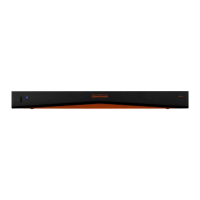

 To Next Page
