16
Installation
36" Refrigerators, Freezers
Step 9
Arrange
Interior
• Remove internal packing materials.
• Remove tape from all shelves.
Step 10
Connect
Power
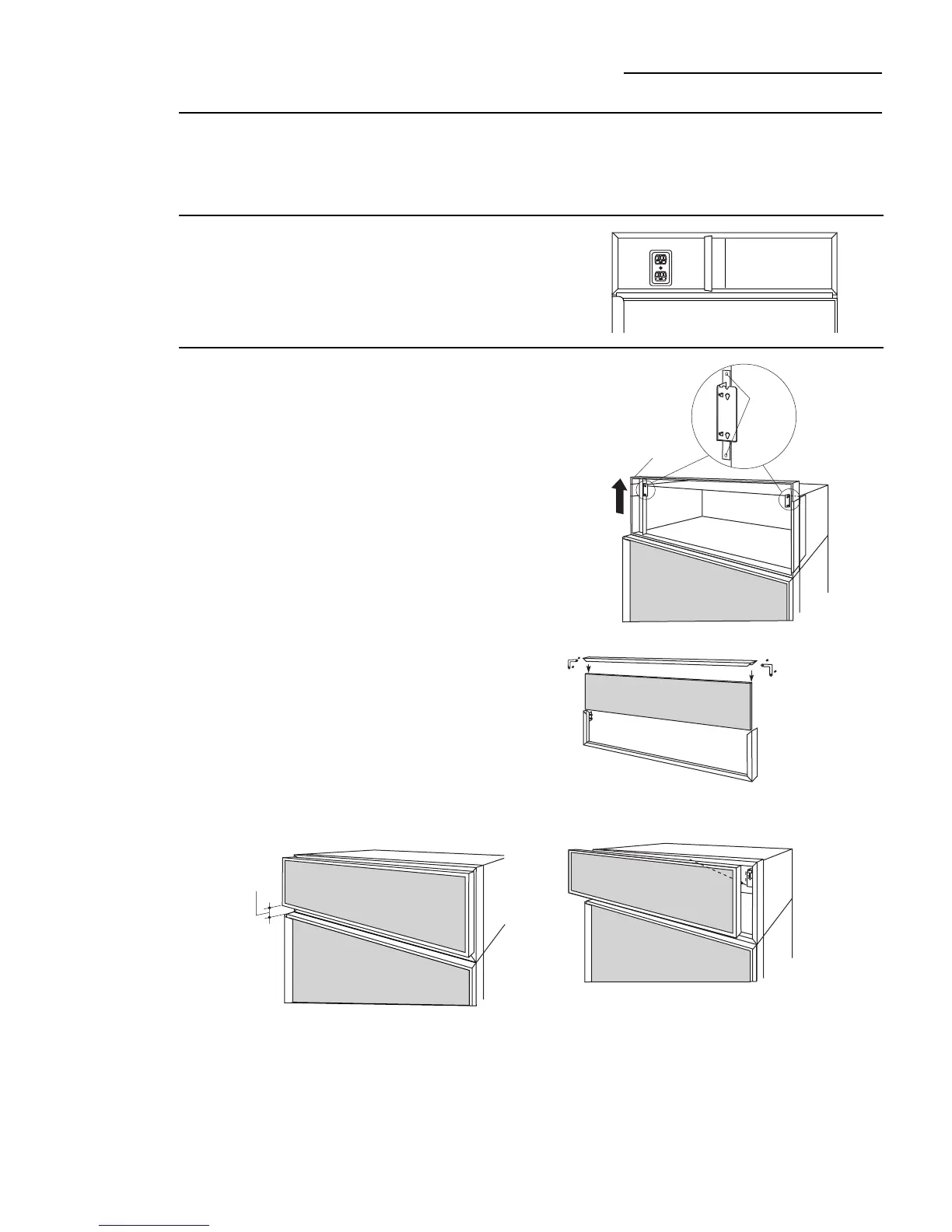
• Connect power cord plug to a properly grounded
receptacle, accessible through the top left side of the
grille opening.
• Check to make sure power is on by opening the door
to see if interior lights are on.
If you are using a 3/4" thick custom panel, SKIP THIS
STEP. See Dimensions and Specifications for grille
panel sizes. Order ZKTR36LH or ZKTR36RH and follow
the installation instructions packed with the kit.
The grille panel frame is factory assembled for an 84"
installation height. If installation height varies, order
ZGC2 trim kit which provides optional side trim pieces
for 83-1/2" and 84-1/2" heights.
Cut 1/4" thick custom panel to fit the frame,
35-1/8" wide, 8" deep (for an 84" installation).
To insert custom grille panel into the frame:
• Remove screws (2 on each top corner) and “L”
brackets on each side.
• Slide panel into the frame and reassemble.
• Mount the grille panel by dropping into slots on the
case trim.
• For shipping purposes, the top case trim is secured at
84" installation height.
To raise case trim to 84-1/2" or to lower to 83-1/2"
installation height:
• Loosen 2 screws on both sides and raise the top or
lower case trim to meet soffit height or to the top of
adjacent cabinets.
• Tighten all 4 screws.
Step 11
Mount
Top Grille
Panel
Important
: Maintain 1-1/2" min. gap between top of doors and
bottom of panel frame.
1-1/2"
min.
gap
Screws
Top Case Trim
Raise To
Installation
Height








 To Next Page