19
ZKHR1 Trim Kit
Support for custom handle on 1/4" panel
Tools and materials required:
• #2 Phillips screwdriver
• Drill and appropriate bits
• Custom door panel
• Custom Handle
• Safety glasses
Parts List:
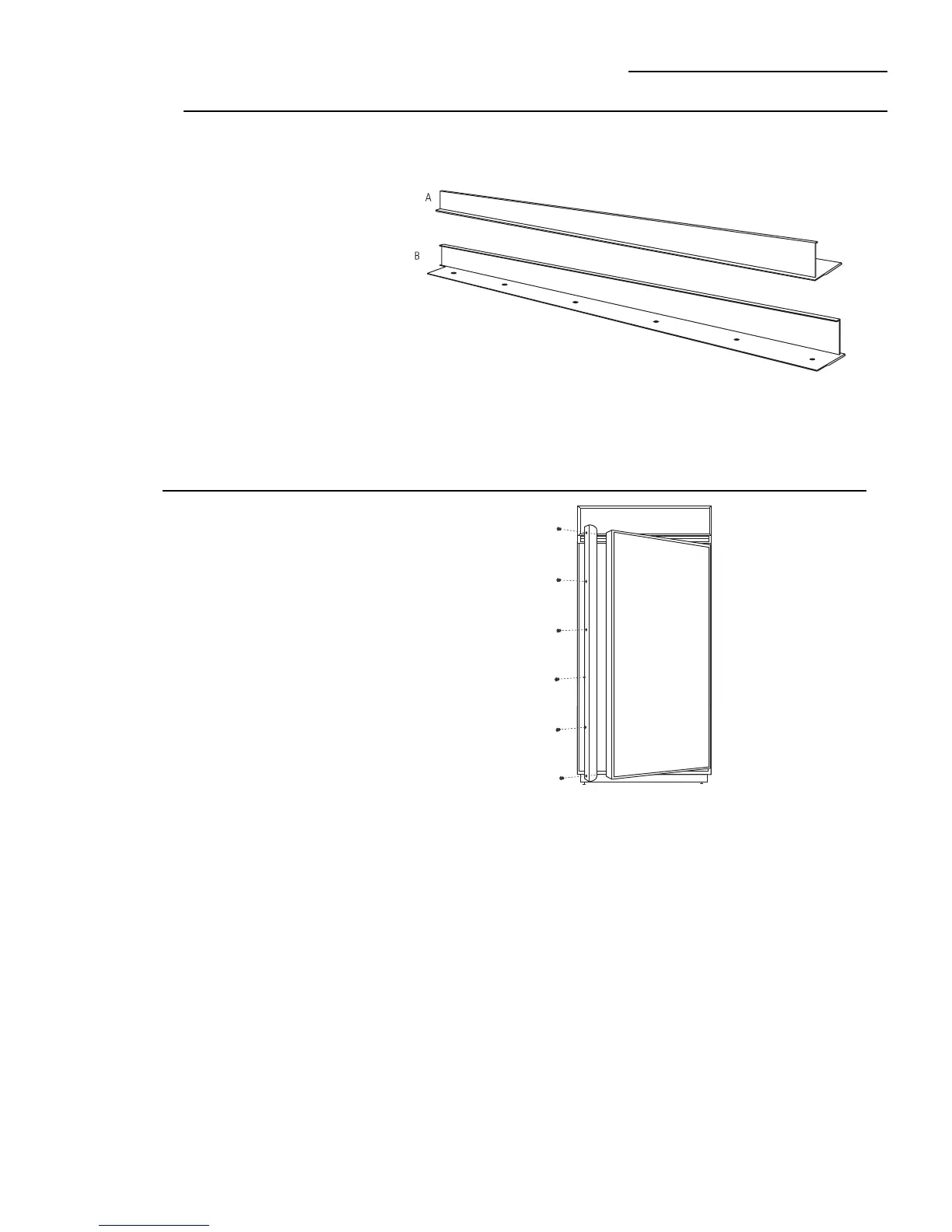
A. Handle side door extrusion (for left hand models)
B. Handle side door extrusion (for right hand models)
This kit provides the necessary framework to install a
custom handle, of your choice, onto a 1/4" thick custom
panel. (Handles not included.) The extrusions in this kit
allow the custom handle to be secured to the door
structure, rather than the door panel.
• Select the extrusion for your model, discard other
extrusion.
Step 1
Remove
handle
Right hand door swing models are illustrated in these
instructions. Follow these instructions for left hand
models.
• Open door to 90°. Remove the screws from the full
length aluminum handle.
• Retain screws. Discard handle.








 To Next Page