Step 2
Install
3/4" trim
OPTION 1
For non-dispenser
model
or dispenser model
using custom
collar trim
Step 1
Remove
handles & trim
Note:
If a custom collar is to
be used, order ZWCD1 trim kit.
If a custom handle is to be used,
order ZKHT1 trim kit.
Important:
When the bottom
trim piece is removed, an
aluminum shim secured to the
bottom of the door can be seen.
Do not attempt to remove this
piece.
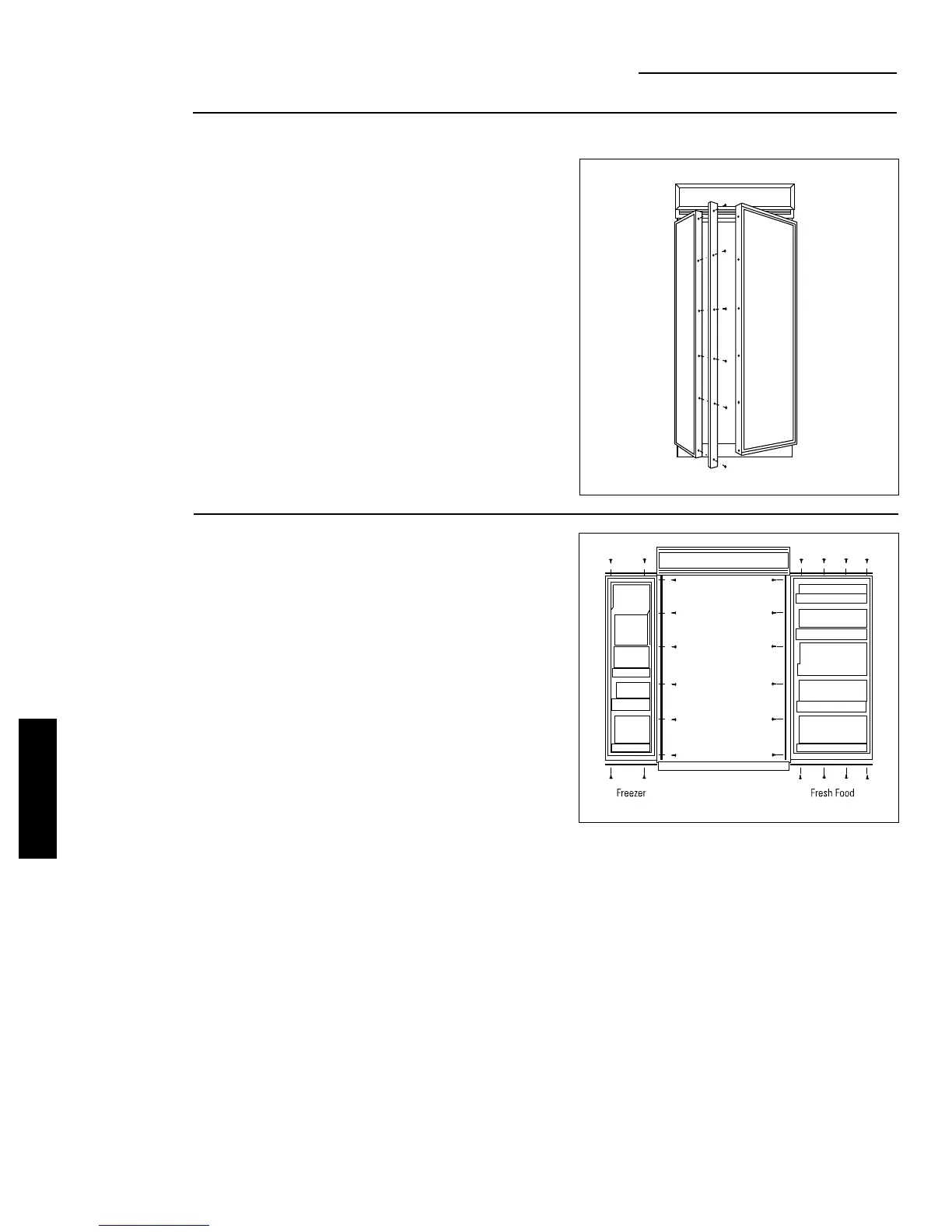
• Carefully remove the Phillips head screws from the
door handle endcaps, top and bottom.
• Open door to 90°.
• Remove the Phillips head screws from the full-length
handles.
• Open the doors fully to stop.
• Remove the screws from the aluminum trim, top,
bottom and hinge side.
• Retain screws and endcaps. Discard original trim.
42" Models
• Attach the new 3/4" trim pieces on the top, hinge side
and bottom using original screws.
28
ZKT42 INSTALLATION
INSTRUCTIONS
ZKT42 Trim Kit
3/4" Custom Panels








 To Next Page