EasyManua.ls Logo

Monster Power MP BPL 1200 - User Manual

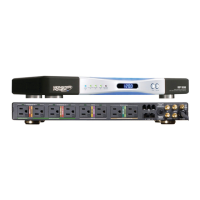
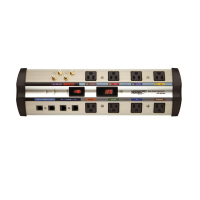
Monster Power MP BPL 1200
16 pages
Print Icon
To Next Page IconTo Next Page
Loading...
SAFER POWER PROTECTION AND STRONG INTERNET CONNECTION
MP BPL 600 / 800 / 1200
Instructions and Warranty Information

Questions and Answers

  • J
    Jeffrey HuntAug 8, 2025
    How to troubleshoot a Monster Power MP BPL 1200 Surge Protector that is not receiving power?
    • M
      Mary WoodAug 8, 2025
      If your Monster Power Surge Protector isn't receiving power, first, ensure the unit is turned on using the main power switch. If it's overloaded due to too many connected devices, try plugging it into a properly grounded 120-volt wall outlet. In some cases, a wall switch near the outlet may need to be activated. Also, try resetting the surge protector by switching it off and then back on.
  • J
    Jennifer BrewerAug 21, 2025
    Why do my speakers hum or buzz when using a Monster Power Surge Protector?
    • P
      powerstaraAug 21, 2025
      If your speakers are emitting a humming or buzzing noise when connected to the Monster Power Surge Protector, it might be due to the surge protector sharing AC power with improperly grounded equipment. Try connecting your surge protector to a dedicated outlet. You can also try unplugging components one at a time to see if the noise stops. Also, make sure all components are properly plugged into the Monster Power Surge Protector.

Summary

Introduction and Key Features

A Note From The Head Monster

A welcome message from Monster's founder, expressing gratitude for purchasing the Black Platinum Series PowerCenter.

Fireproof MOV Technology

Explains how ceramic-encased MOVs prevent fires caused by excess energy dissipation during surges.

Advanced Dual Mode Plus Protection

Details the automatic disconnect circuitry that isolates equipment from dangerous AC power conditions.

Performance and Connectivity

Clean Power Noise Filtration

Describes how Monster Clean Power removes electrical noise for better performance and equipment lifespan.

Reliable Internet Connection

Explains using Powerline Communication for a stable internet connection over AC power lines.

Setup and Safety

Hook-Up Guide

Instructions for connecting coaxial cables and mounting the PowerCenter.

Power Source Safety

Warnings about using correct power outlets and ensuring proper grounding and polarization.

Additional Safety and Warranty Information

Electrical Shock and Cord Safety

Guidelines on avoiding electrical shocks from liquid contact and ensuring power cord safety.

Maintenance and Heat Precautions

Instructions for proper cleaning and warnings against exposing the unit to heat or sunlight.

Connected Equipment Warranty

Details on how connecting all cables to the PowerCenter ensures warranty coverage for connected equipment.

Troubleshooting

Limited Warranty Details

Definitions and Scope

Defines terms like Adequate Use, Authorized Dealer, Connected Equipment, and outlines warranty coverage for product defects.

Formal Warranty Claims

Explains the process for making a claim, including required information and procedures.

Warranty Specifications and Contact

Specifications Table

Lists product models, maximum coverage amounts, and warranty periods for product defects and connected equipment.

Contact Information

Provides telephone numbers and postal addresses for making warranty claims in different regions.

Monster Power MP BPL 1200 Specifications

General IconGeneral
BrandMonster Power
ModelMP BPL 1200
CategorySurge Protector
LanguageEnglish

Related product manuals