
 Need help?
Do you have a question about the Monster Power PowerCenter HTS1000 and is the answer not in the manual?
Guidelines for safe connection to power outlets, including polarization and grounding.
Avoids operation with liquids, ensures power cord safety, and details proper cleaning procedures.
Advice on disconnecting during storms, avoiding heat, and not opening the unit.
Ensures proper grounding of outlets for equipment protection and warranty validity.
Visual guide for proper grounding of coaxial connections using grounding blocks.
Highlights the PowerCenter's role in enhancing home theatre systems with clean power.
Details the expertise of Richard Marsh, Demian Martin, and Noel Lee in audio and power technology.
Lists essential items required for setting up the Monster PowerCenter.
Instructions for connecting phone lines for surge protection and Pay-Per-View devices.
Details connecting a 12-volt trigger for remote power control of the PowerCenter.
Instructions for connecting Cable TV, Satellite, and Antenna with grounding schematics.
Guides connection of high-current audio components to switched outlets.
Instructions for connecting low-current audio and video components to switched outlets.
Details connecting video components like VCRs and TVs to unswitched outlets.
Step-by-step instructions for mounting the PowerCenter in a rack.
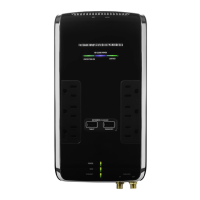
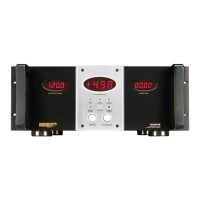
Details specific features and components for the HTS1000 and HTS1000 CI models.
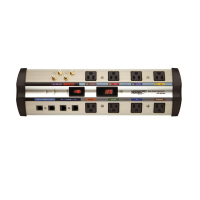
Details specific features and components for the HTS2000 and HTS2000 CI models.
Explanation of switches, LEDs (Ground OK, Protection On), and thermal circuit breaker.
Descriptions of coaxial connections and various audio/video filter outlets.
Information on phone line protection, remote control, ID labels, and power cables.
Solutions for PowerCenter power problems and component connectivity issues.
Guidance on resolving speaker noise and addressing potential unit defects.
Explains filtering importance and component placement in designated outlets.
Addresses potential issues from misplaced components and their system impact.
Defines terms from AC, Amp, CSA, Clean Power, Conducted Noise, Current, Digital Noise, DC, EMI.
Defines terms from Filter, Ground, Hertz, Isolation Transformer, Joule Rating, Peak Current, Power, Power Line, RF Interference.
Defines terms from Spike, Surge, Surge Protector, Transient, UL, Video Noise, Volt, Voltage Rating.
Details lifetime product warranty and the $100,000 Connected Equipment Warranty.
Outlines warranty disclaimers, liability limits, and the connected equipment claim process.
Provides mailing address, website, and toll-free number for customer support.
Fields for personal, dealer, and system details for warranty registration.
Questions about purchase sources, habits, and demographic information.
 General
| Brand | Monster Power |
|---|---|
| Model | PowerCenter HTS1000 |
| Category | Surge Protector |
| Language | English |

 To Next Page