2022-09-07 - 15 - 2200700
Changing the Displacement Set Points
The Displacement Set Points can be changed via three different methods:
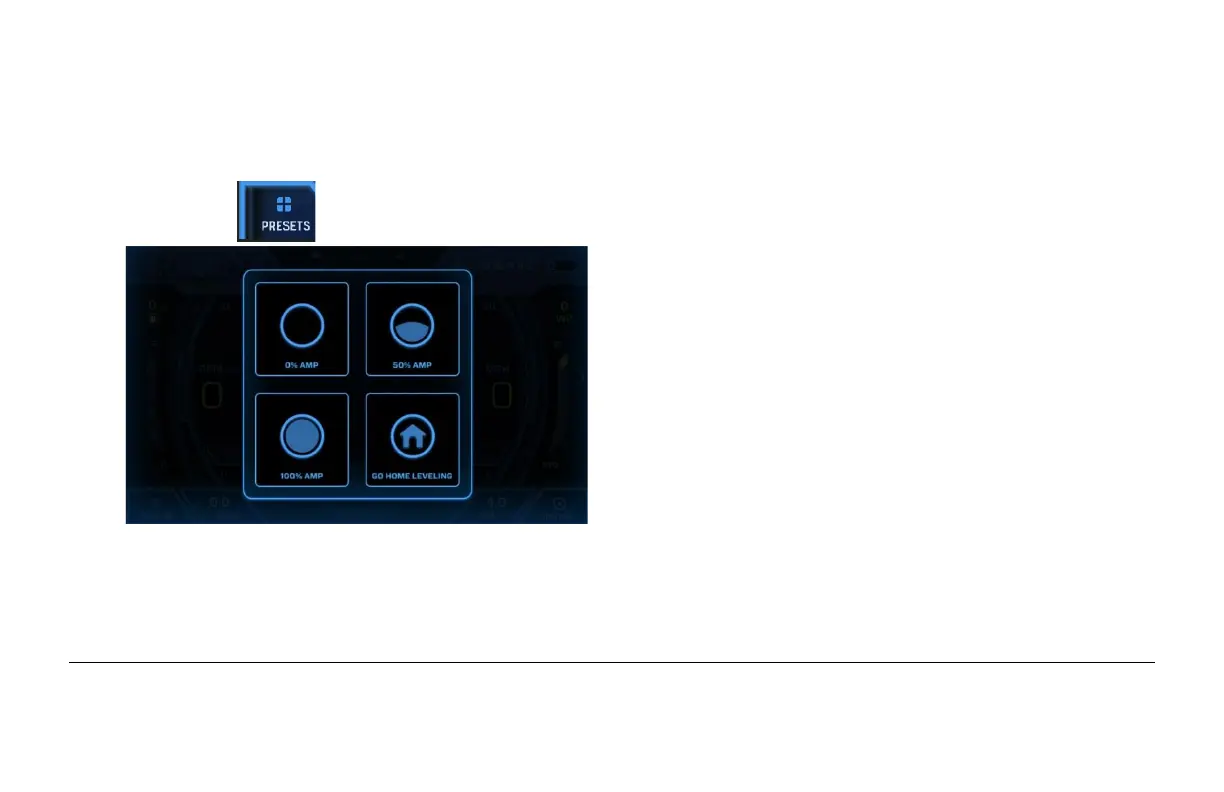
(1) Touch in the lower left corner and the following will appear:
If Go Home Leveling is selected, autoleveling will
be activated (if AutoWake is turned on). It doesn’t
change the setpoint but will cause AutoWake to go
inactive.
Select 0% AMP, 50% AMP or 100% AMP.
(2) On the Vessel/AutoWake settings page within the Settings menu, choose Edit Setpoints.


 To Next Page