2022-09-07 - 6 - 2200700
Basic Navigation Features
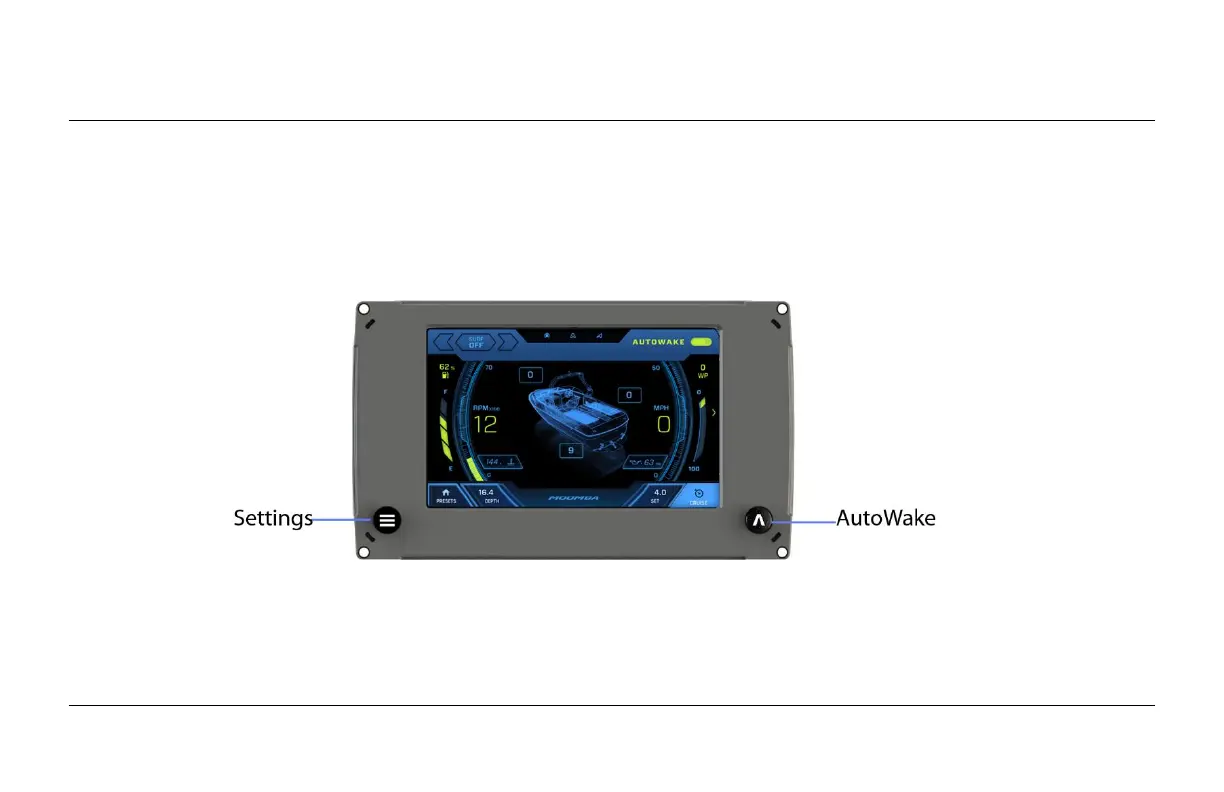
All product features are easily accessed through two Quick Access Keys, Touch Point commands
and Menus.
Quick Access Buttons
A new screen can be accessed quickly by pressing one of the following Quick Access Buttons:
Touch Point Commands
Navigation within the screens is controlled by touching the screen’s active areas. These areas are
illustrated within the following sections.


 To Next Page