2022-09-07 - 25 - 2200700
Maps
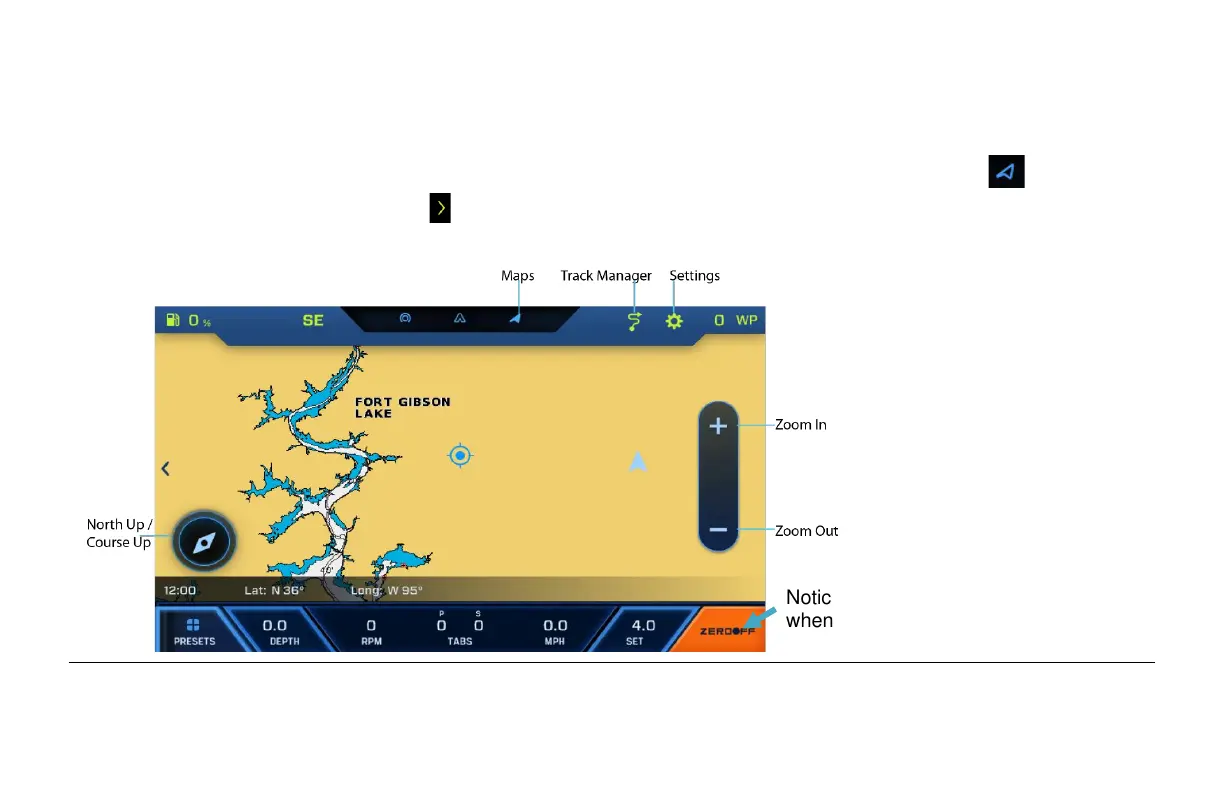
The Maps screen can be accessed by touching the Maps icon at the top of the screen or by
touching the next screen symbol and sliding your finger to the left twice. The functions on the
GPS are handled through touch points on the screen:
Notice the ZeroOff button turns Orange
when the GPS Puck is installed.


 To Next Page