2022-09-07 - 23 - 2200700
Surf System
Moomba provides a way to create the optimal surf wave with their Surf System tabs. AutoWake must
be turned off to access the Surf tabs.
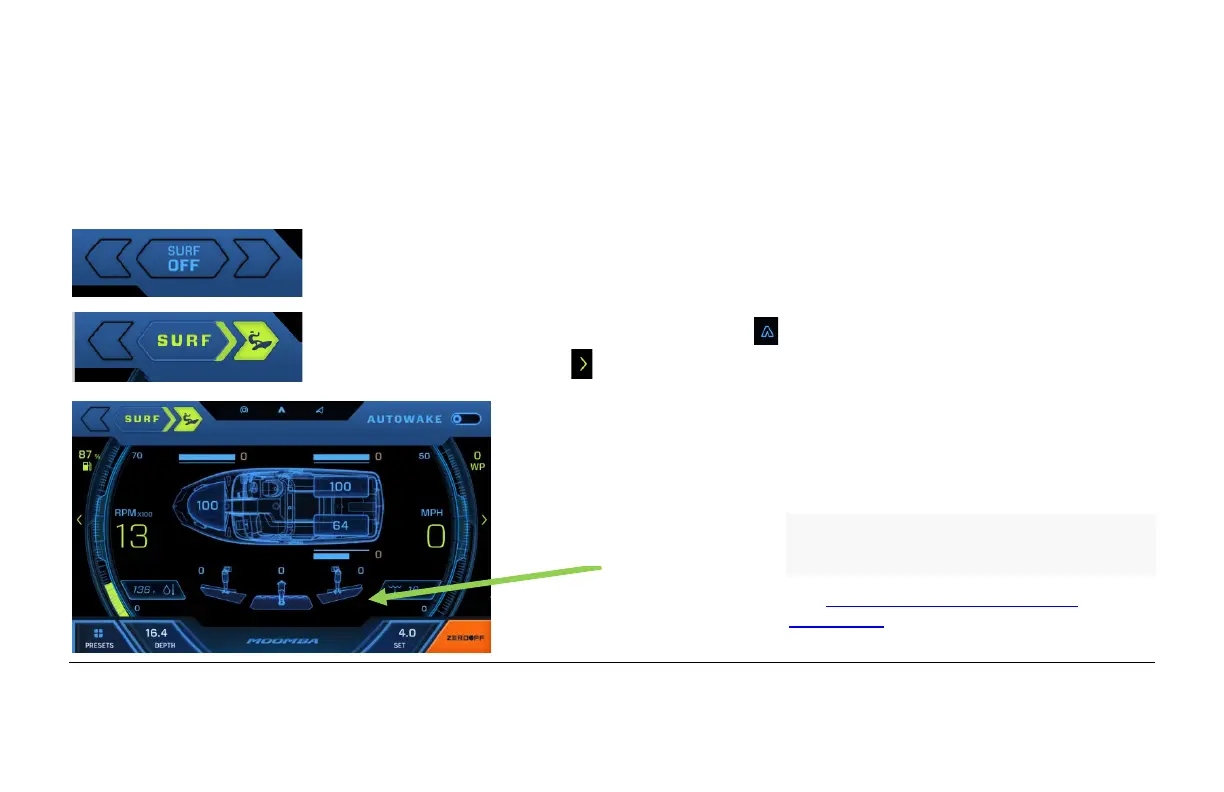
When the Surf system is off, nothing will be illuminated. Touch the right arrow
to turn on Surf Right.
When Surf Right is chosen, the left tab will deploy to its surf setting. To adjust
that setting, touch the AutoWake symbol at the top of the screen or touch
the next screen symbol and slide your finger to the left. The following screen
will appear:
Flow 3: U.S. Patent Nos. 10,040,522;
10,112,688; 10,202,177; 10,239,591;
10,370,071; 10,479,461.
See www.skierschoice.com/patents-
trademarks/ for virtual patent marking.


 To Next Page