2022-09-07 - 29 - 2200700
User Settings
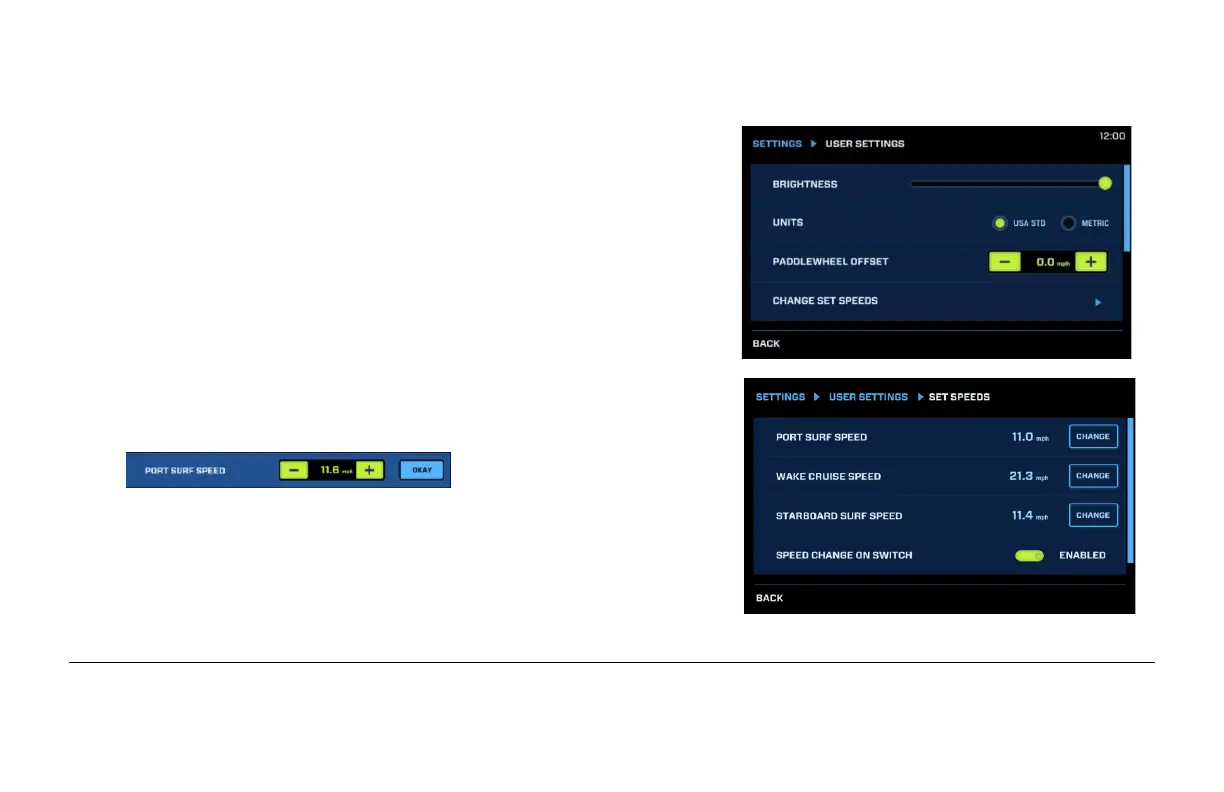
Brightness: Adjust the Brightness of the screen by touching
the dot and sliding your finger or tapping the desired location
along the line.
Units: Select USA Standard or Metric units.
Paddlewheel Offset: offset the speedometer by adjusting
the MPH here with the – and + buttons.
Change Set Speeds: Specific speeds can be set to Port and
Starboard Surf activities and Wake Cruise activities. Touch
Change to adjust the appropriate speeds:
Enabling Speed Change on Switch will automatically
change to the established Speed when surf sides are
changed or when initializing Wake Cruise (after a brief
delay).


 To Next Page