Page 16
Page 17
DocuFold Pro
PAPER
FOLDER
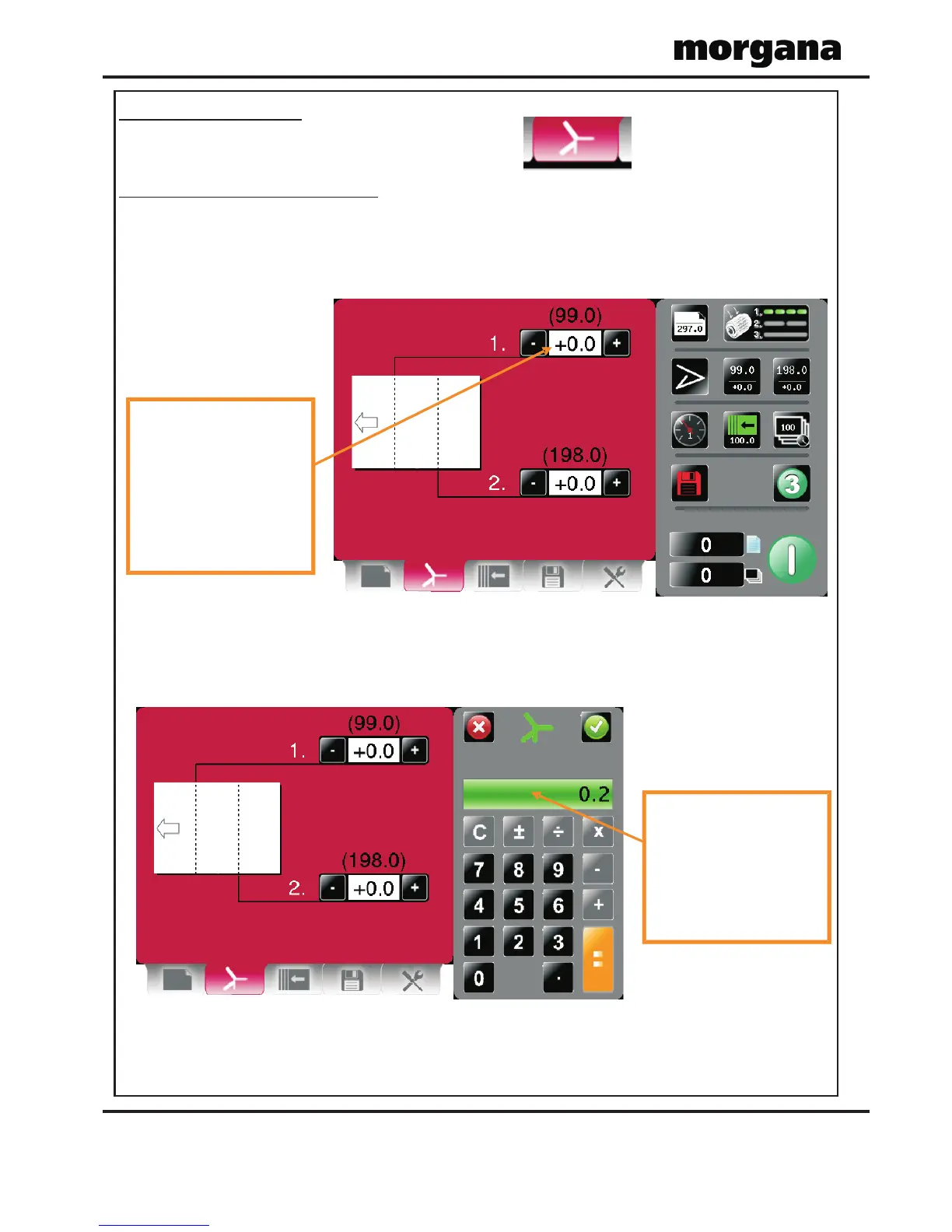
Fold Settings Pages.
To get to the Fold setting page click the lower tab .
Pre- defined Standard Folds.
If you have selected a pre-defined standard Fold Type from the paper settings page the
recommended fold positions will be shown in parenthesis and can be micro adjusted as
required.
selection the status area is
replaced with a calculator
for inputting new values.
Micro adjust range is -5.0
to +5.0 with increments of
adjusted for fine
adjustment.
Micro adjust range is -5.0
to +5.0 with increments of
Operating the DocuFold Pro Operating the DocuFold Pro
Setting Fold Positions Manually (Set By Position).
If you have selected the Ruler Icon from the paper settings page the fold positions can be
set manually.
EXAMPLE 1. (Set Fold 1 to 210.0, Set Fold 2 to 90.0)
Paper Length = 297.0mm
Feed Direction
Fold 1
Fold 2
Fold 1 = 210.0mm
Fold 2 = 90mm
All dimensions are from the leading edge of the paper
Fold 1
= 210.0
Finished Document
Leading Edge
SETTINGS
Leading Edge
Fold 2
= 90.0
(on delivery bed)



 To Next Page