EasyManua.ls Logo

Morgana DocuFold Pro - Touchscreen Delivery Settings; Delivery Settings Pages

Morgana DocuFold Pro
47 pages
Print Icon
To Next Page IconTo Next Page
To Previous Page IconTo Previous Page
Loading...
Page 18
Page 19
Operating the DocuFold Pro Operating the DocuFold Pro
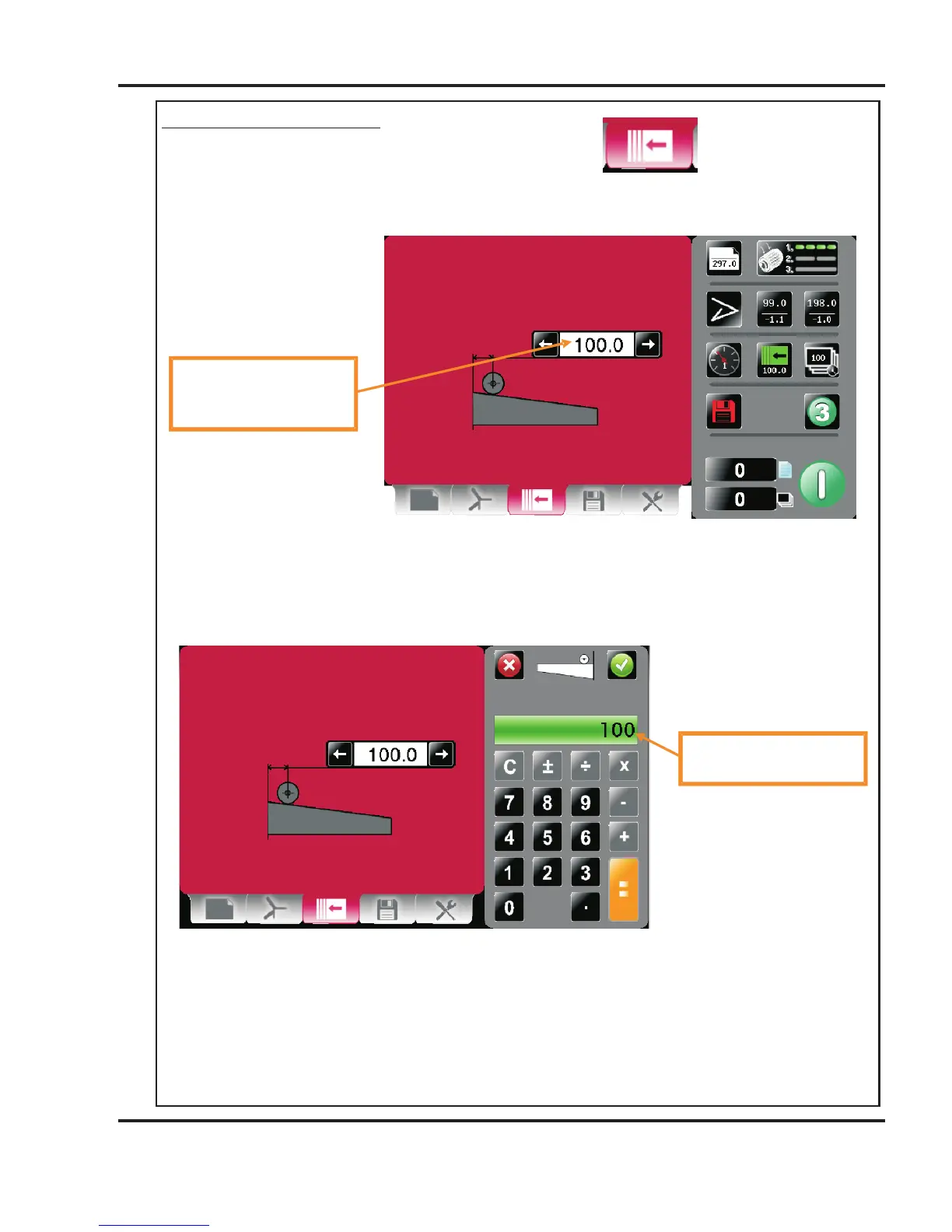
Delivery Settings Pages.
To get to the Delivery setting page click the lower tab .
Roller position may be
Micro adjusted by clicking
Here.
EXAMPLE 2. (Set Fold 1 to 90.0, Set Fold 2 to 210.0)
NOTE.
When only one fold is required on the sheet, set Fold 1 and Fold 2 to the same values.
Paper Length = 297.0mm
Feed Direction
Fold 2
Fold 1
Fold 1 = 90.0mm
Fold 2 = 210mm
All dimensions are from the leading edge of the paper
Leading Edge
SETTINGS
Fold 1
= 90.0
Finished Document
Leading Edge
Fold 2
= 210.0
DocuFold Pro
Morgana Logo
on underside of this flap
(on delivery bed)

Related product manuals