User Guide Getting Started
SSE-0000101061-03
Morpho Document - Reproduction and Disclosure Prohibited.
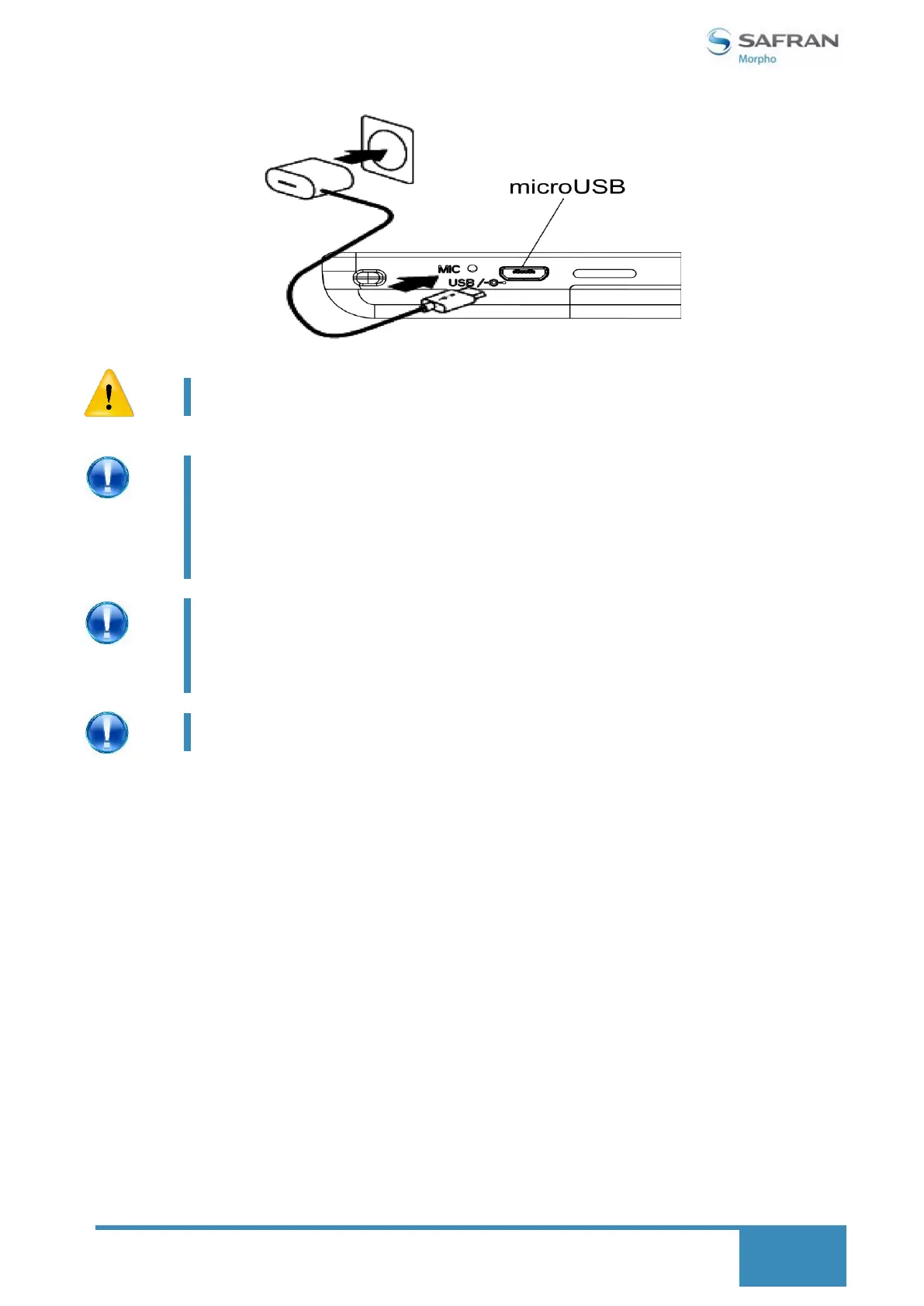
Charging the battery may take longer if you are using the device as it
charges.
In order to keep the battery working in the best condition,
please pay attention to the following advices:
Please do not charge under high temperature.
Please make sure to charge the power once per two
weeks if you do not use this device for a long time.
If the device is low on power, it may display indicating that it
needs to charge for up to 30 minutes before you can use it.
Also, in this condition the fingerprint sensor and other
interferences line smart card reader and contactless card
reader may not function.
It may also charge slowly when you connect it to a USB 2.0 port
on your computer.
How to save battery
1. By ensuring un-used communication features or radio links are 'OFF'.
2. Use Auto-brightness.
3. Usage of sleep mode.


 To Next Page