User Guide Instructions for Use
SSE-0000101061-03
Morpho Document - Reproduction and Disclosure Prohibited.
3. USB Host Type A connector
You can connect the USB peripherals, e.g. keyboard, to your device.
You can also Plug the external disk into the HOST port. Use the file manager to navigate into your
files. Go to “Settings/Storage” to unmount the disk before unplugging it.
4. MicroUSB Type B 2.0 OTG connector
You can use it to connect your device to a PC or for battery charging.
5. Capturing Fingerprints
To get a good quality of image, one needs to
Maximize the finger/sensor contact.
Position the centre of the finger tip
according to the centre of the sensor.
Ensure a good quality contact:
place your finger on the sensor,
do not press too hard,
do not move during image acquisition,
do not slide nor roll your finger across
the sensor.
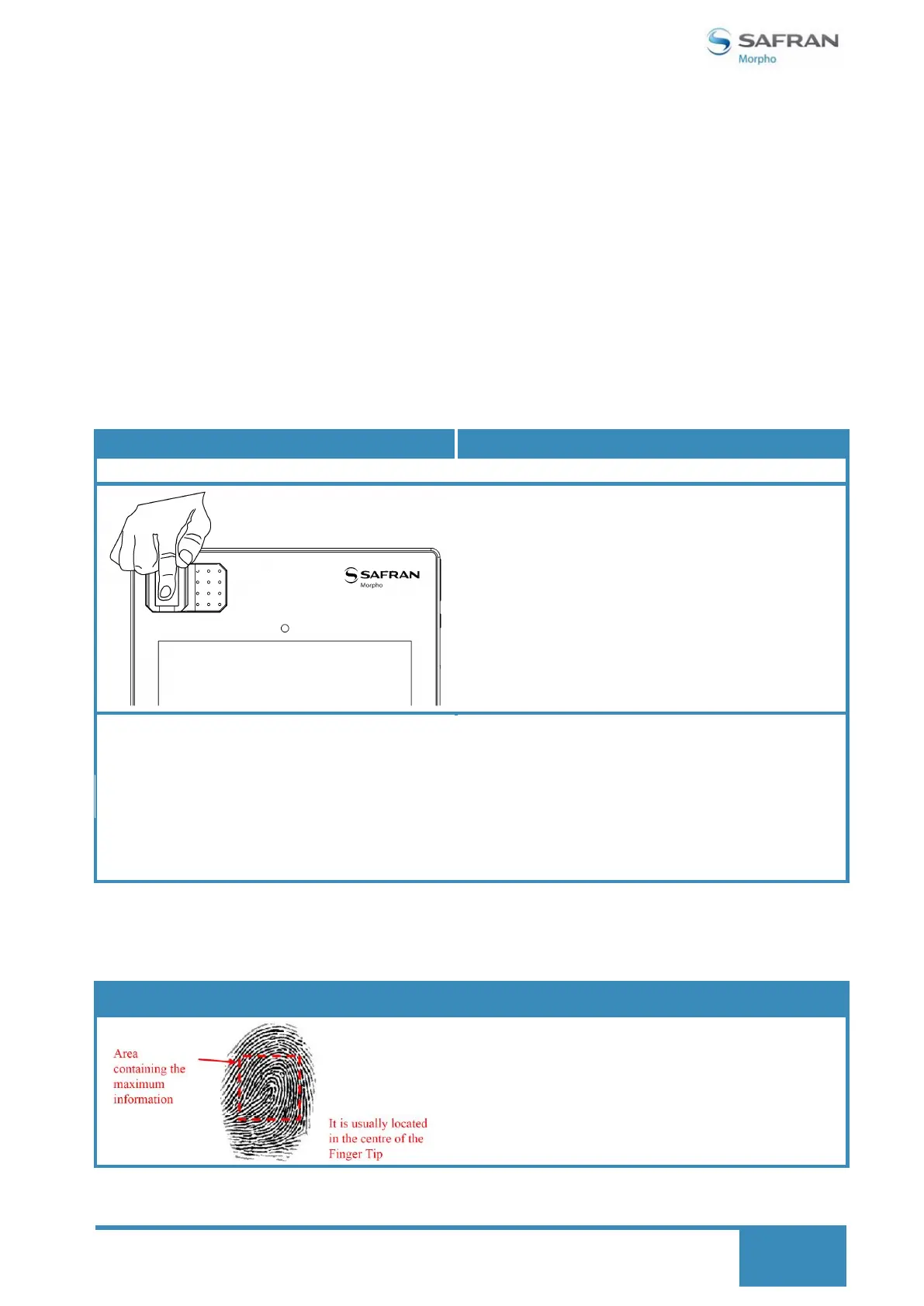
Placement of Finger on the biometric sensor of the device:
Place the finger on the fingerprint sensor of your device as follows:
This is the area on the finger where maximum
information can be captured.


 To Next Page