Multiple Cups
Multiple cups can be filled quickly and easily by
starting and stopping the dispense cycle and
exchanging vessels.
1
Set your Hot Water Dispenser unit to heat a desired
amount of water with the Auto Dispense feature
switched off. Place two cups under the Dispense
Nozzles (6) and dispense the water by pressing the
Dispense Button (5).
2
When the cups are filled press the Dispense Button
again to stop the flow.
3
Place another two empty cups under the Dispense
Nozzles and repeat the process until all remaining
water has been dispensed.
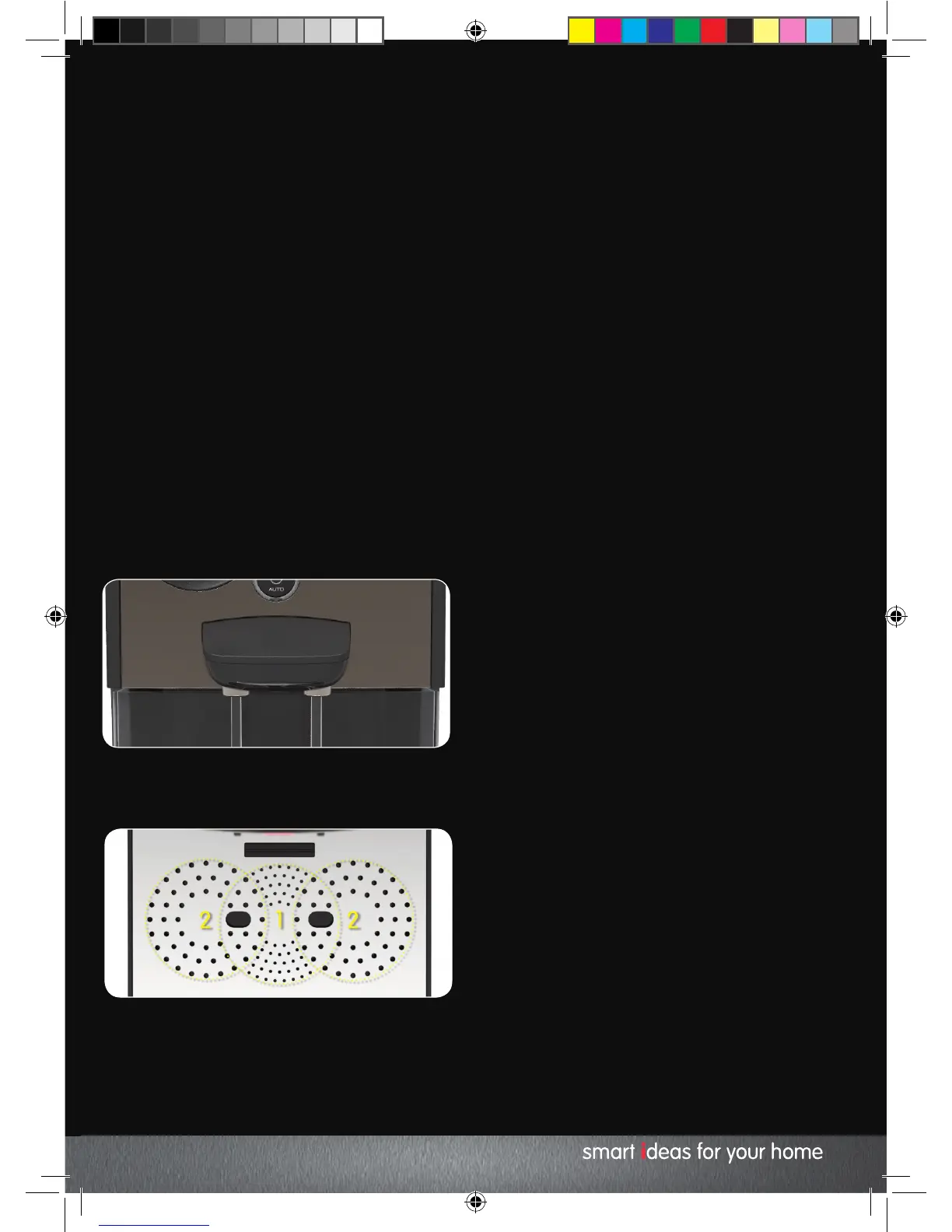
Dispense Nozzles
There are two Dispense Nozzles (6) on your Hot Water
Dispenser. These can be used to fill one or two cups
at one time.
If dispensing into two vessels try to ensure they are of
equal size and heat double the amount of water
required for one. Place your cups on the Drip Tray
(underneath the Dispense Nozzles). Your Hot Water
Dispenser will dispense an equal amount from each
Nozzle.
Cancel the heating
cycle
To cancel the heating cycle at any time, press the Start
/ Stop Button (1). Press either the Start / Stop Button
again to continue the current cycle or press the
Dispense Button (5) to empty the water.
Once a heating cycle has begun, the volume and
temperature of the water can only be changed during
the first few seconds of the heating cycle.
The Water in the heating chamber must be dispensed
before a new volume can be selected.
Reheating Water
Any water remaining in the heating chamber that has
cooled down by 5 degrees can be reheated.
The Start / Stop Button (1) will illuminate and the
Heat Icon (11) will extinguish indicating the reheat
function can be activated. Press the Start / Stop Button
to reheat.
Sound
The audible signals from your Hot Water Dispenser can
be turned on or off. Press and hold the Temperature
Button (4) for 2 seconds to switch the sounds on or off.
Standby
Your Hot Water Dispenser will enter Standby Mode to
save power 60 seconds after the end of the heating
and dispense cycle. The unit enters standby mode
after 30 minutes of inactivity if a heat and dispense
cycle hasn’t been completed. To wake the unit, press
any button or rotate the Water Volume Dial (2).
The Hot Water Dispenser can be placed in standby
mode by pressing the Start/Stop Button (1) for 2
seconds.
Any water remaining in the Heating Chamber when
your Hot Water Dispenser enters standby will need to
be dispensed upon exiting standby, or reheated and
dispensed before a new volume or temperature can
be selected.
KT131004 MUK REV1.indd 13 18/02/2015 10:34


 To Next Page