Tank Light
Icon
FIG. 40
18 Morton
®
Water Softener Installation & Operation Manual
Controller Features
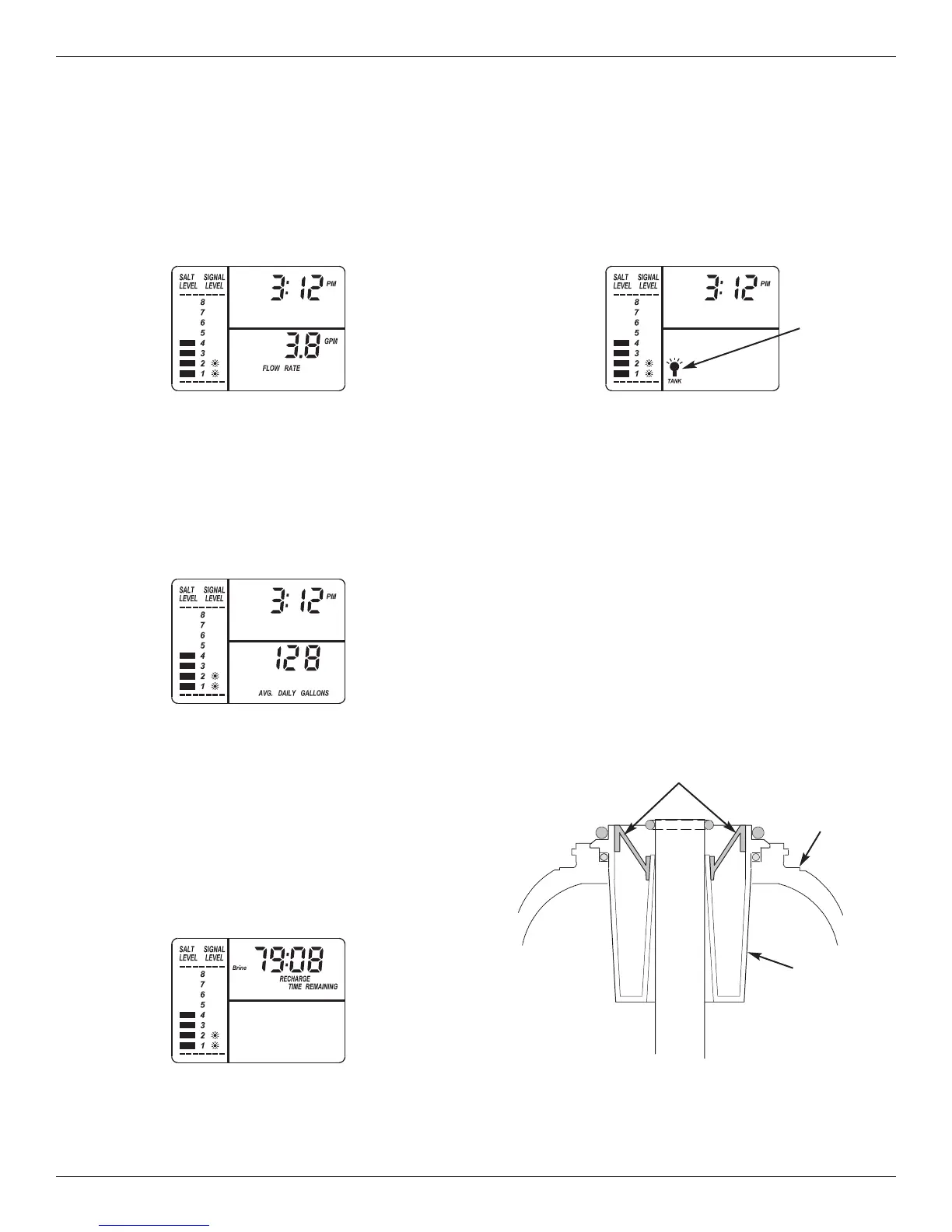
Average Daily Gallons or Liters
Press the WATER USE button a second time to dis-
play the average number of galons (or liters) of soft
water that the household uses each day. This water
usage figure is recalculated daily by the electronic
controller. To turn this display off, press the WATER
USE button once again.
Water Flow Through the Softener
To view the flow rate through the softener in liters (or
gallons) per minute, press the WATER USE button. If
s
oft water is in use, the flow rate will be displayed to
the nearest tenth of a liter (or gallon). The display will
show “0” when all faucets and water using appliances
are off.
Recharge Time Remaining & Valve
Position Indicators
One of the valve position indicators (Serv, Fill, Brine,
Bkwsh, Rinse) is displayed while the softener is
recharg ing. RECHARGE flashes in the display and,
beginning with Brine, the minutes of recharge remain-
ing before return to service appears in place of the
present time. When the valve is moving from one
cycle to another, both position indica tors are flashing.
Cleansing Feature
The cleansing feature keeps larger particles of sedi-
ment from entering the home’s plumbing system. As
water passes through the softener, the larger sedi-
ment particles are collected in the integrated basket
and then rinsed to the drain before each regenera-
tion. The cleansing feature provides added protection
for water using appliances by reducing the chance of
larger particles entering the various products valves
and screens. The “Clean Feature” may be turned ON
to provide an extra backwash that will help keep the
cleansing screen clean. The default is OFF.
IMPORTANT: The cleansing feature is not intended to
replace pretreatment filtration. For
problem water applications, additional
sediment filtration is recommended.
Top
Distributor
Cleansing Screen
Resin
Tank
FIG. 37
FIG. 38
FIG. 39
FIG. 41
Tank Light
A light inside the salt storage tank will come on when-
ever you open the salt lid. A “Tank Light” icon is dis-
p
layed when this light is on. The light turns off when
you close the salt lid. It will also turn off automatically
after 15 minutes if the salt lid is left open.


 To Next Page