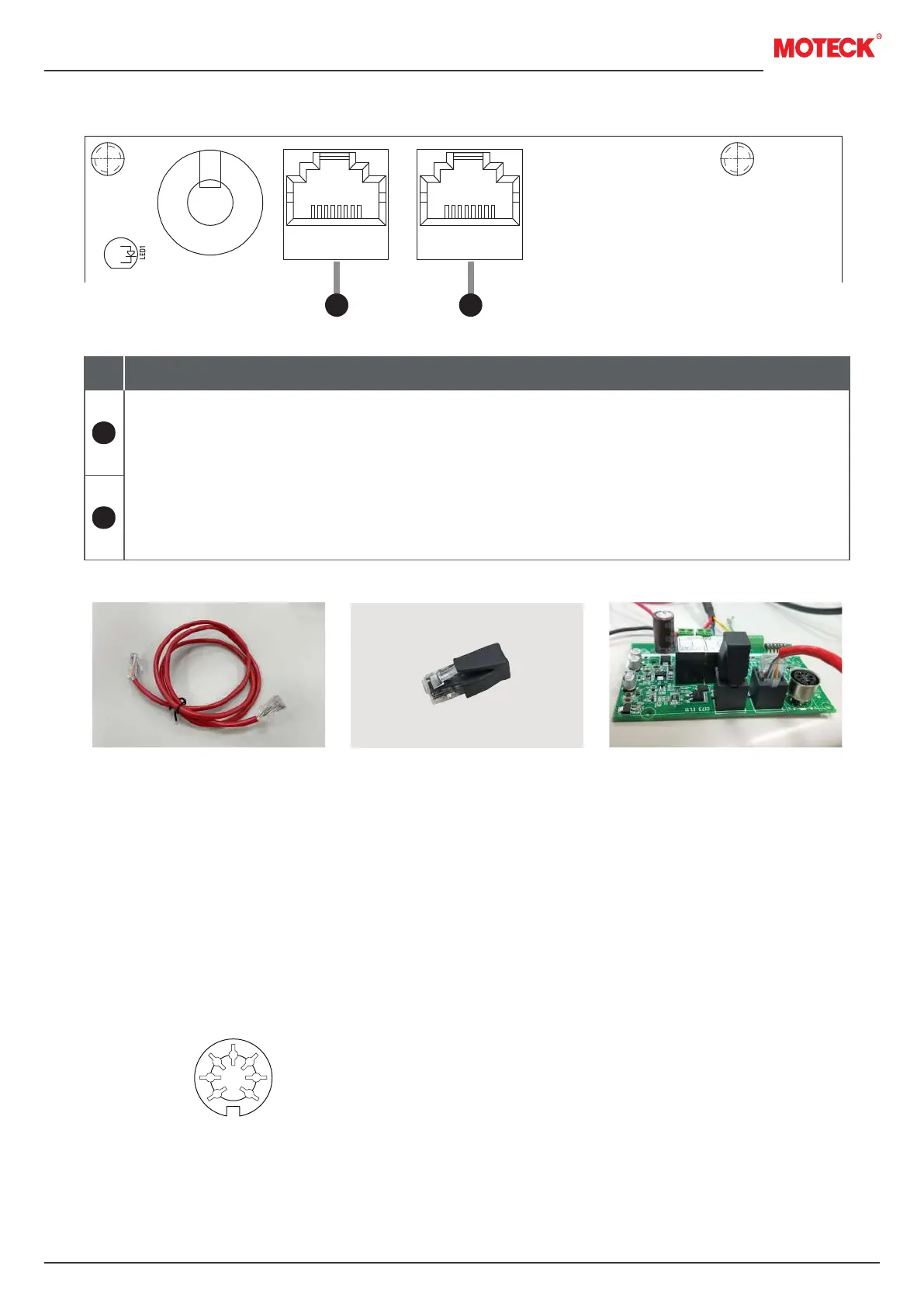
5. Synchronous communication ports
6. Hand control socket
Port
1. Use a commercially available RJ45 network cable, meets the CAT-5 specification or
above (as shown in Figure 1).
2. Each of the two CI73s at the most front and back end of the entire synchronous connection
system needs to be connected to the attached terminal resistor (as shown in Figure 2).
After the synchronous communication cable is connected first, insert it into the vacant
RJ45 socket (as shown in Figure 3). There is no distinction between the left and right
positions.
Figure 2
Figure 3Figure 1
16
15
Description
7-pin DIN socket
16 15
www.moteck.com
6


 To Next Page