Parameter Setting
●
●
●
●
For safety and correct setting, please confirm that each actuator and all
necessary control input/output terminals are connected properly before
turning on the input power.
Please confirm the actuator specification before setting.
Before securing all the actuator that require synchronization, please be
sure to perform actuator calibration first. Additionally, re-learning is
required after each parameter adjustment.
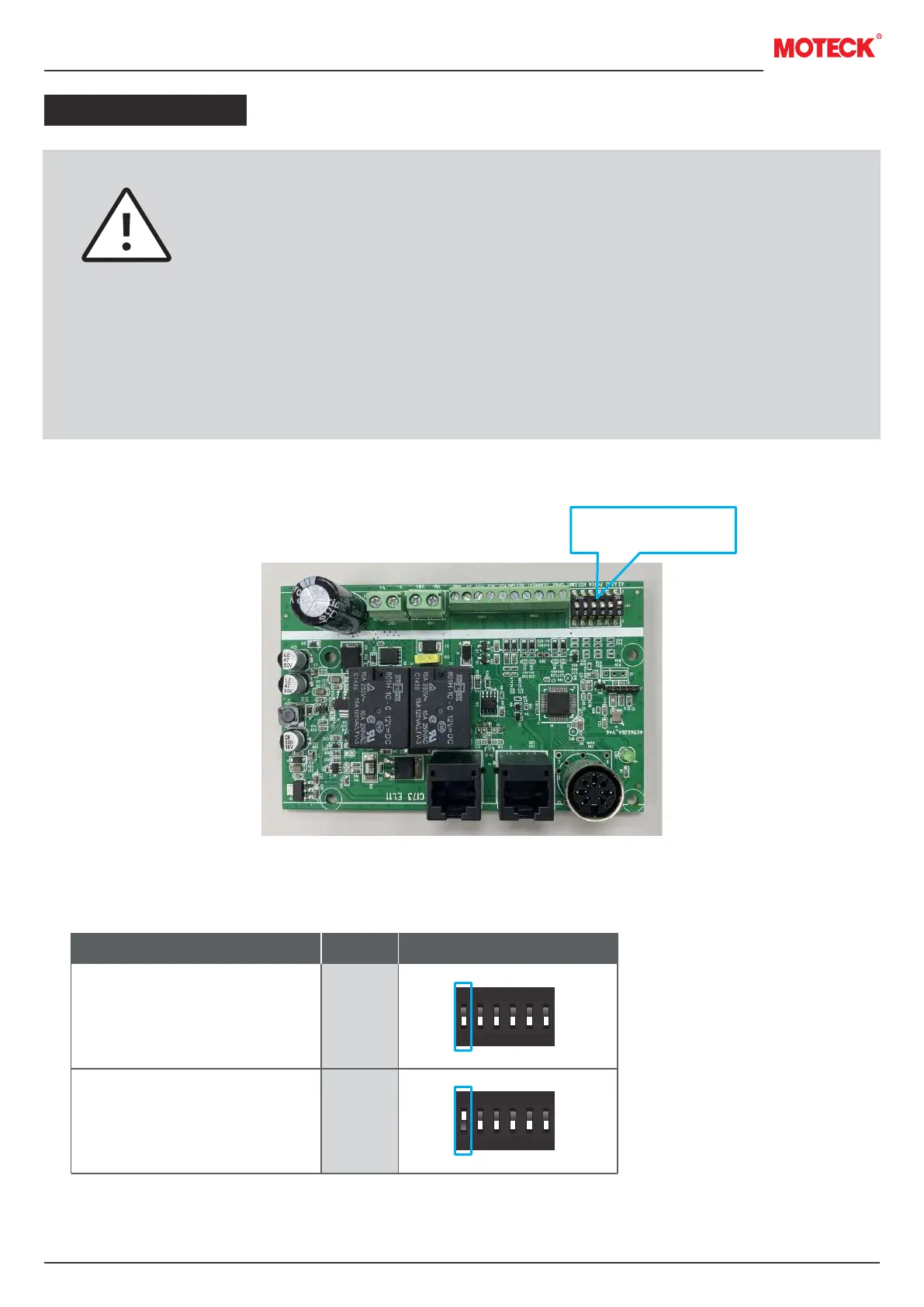
The factory default position of DIP switch are all 0.
www.moteck.com
7
Parameter setting
1. Actuator with or without stroke limit switches
None
Preset limit switches
Parameters
ON
1 2 3 4 5 6
0
1
ON
1 2 3 4 5 6
0
1
DIP switchSet
1
0


 To Next Page