USER MANUAL 4
1. PRODUCT DESCRIPTION
This door is equipped with the EvoDrive+ automatic sliding door operator, specically designed for interior
doors. Equipped with the latest technology in automatic doors, the leaves are moved by a linear motor that
slides with the door leaf by attraction and repulsion of the permanent magnets incorporated along the header
frame, making the operator a very compact unit, with a superb, smooth and silent movement. Please, read
these instructions in full before using the door for rst time.
2. INSTRUCTIONS OF USE
2.1. OPERATING MODES
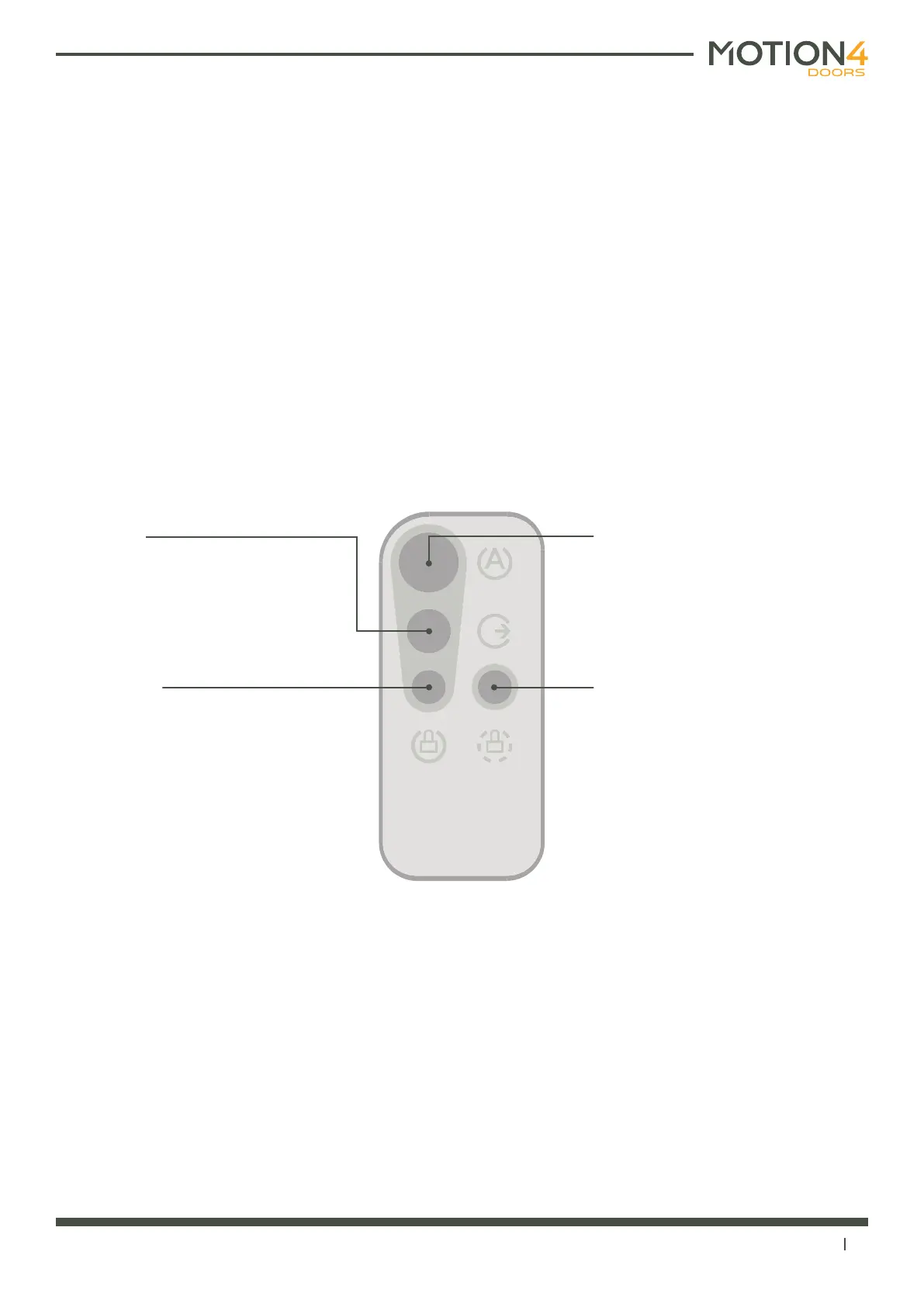
The EvoDrive+ is delivered with a wireless remote control with 4 buttons to let you set the operating mode to
any of the following:
2.2. OPERATION DURING POWER FAILURE
Thanks to the particular technology of the EvoDrive+ automatic door operator and the absence of mechanical
elements such as gears or belts, in the event of power failure the manual and smooth movement of the door is
guaranteed by simply pushing or pulling the door leaf or handle with a minimum effort.
If the operator is equipped with an automatic lock, this will be released in the event of power failure, and the
motors will be disconnected to allow a manual movement of the door, performing just like any other manual
sliding door.
CLOSED mode
The door will close and remain in that
position. If the door is equipped with an
automatic lock (optional), the door will
be blocked in the closed position.
OPEN mode
The door will open and remain free. It
will work as a manual sliding door.
AUTOMATIC mode
Every time an activation device (push
button, touchless switch, radar or
sensor) is triggered and when the door
is pushed manually 5 cm, the door will
open during an adjustable hold-open
time and close again.
EXIT only / ACCESS control mode
The activation devices on the interior
side of the door will remain active, while
the devices on the exterior side will
remain disabled. For a full functionality,
we recommend to equip the door with
an automatic lock.



 To Next Page