EasyManua.ls Logo

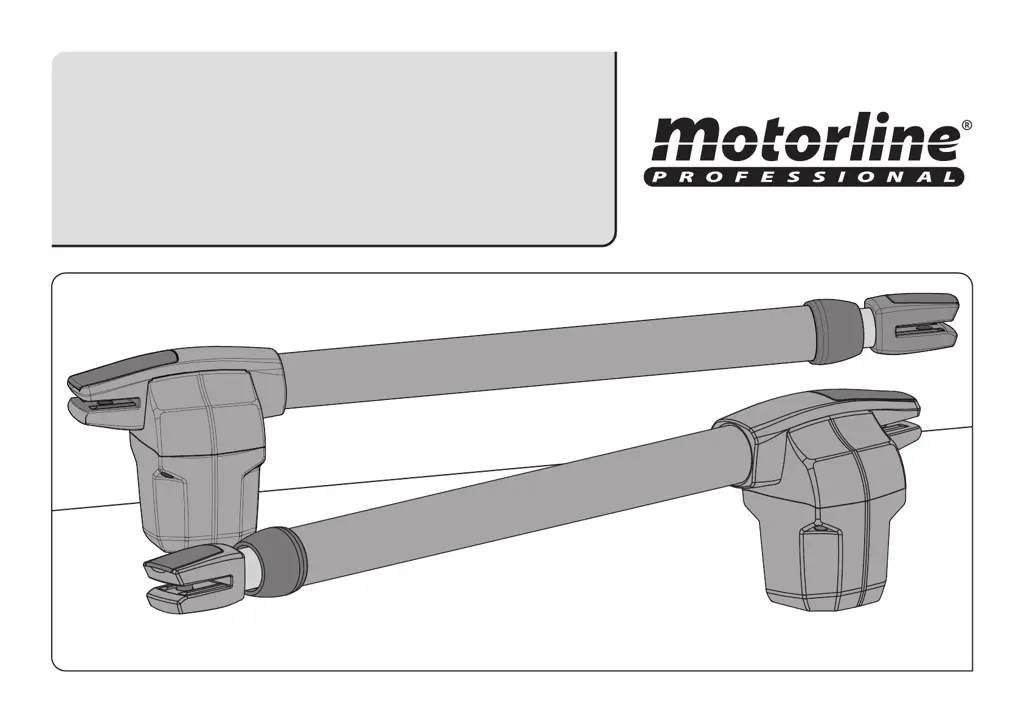
Motorline professional LINCE 300 - User Manual

Motorline professional LINCE 300
10 pages
Print Icon
To Next Page IconTo Next Page
Loading...
Users and Intallers manual
v1.0
REV. 09/2013
LINCE 300/400/600

Questions and Answers

  • K
    Kellie ShawAug 9, 2025
    What to do if my Motorline professional LINCE 300 motor opens but doesn’t close?
    • W
      wallacejesusAug 9, 2025
      If your Motorline professional gate opener motor opens but doesn’t close, here are a few things you can check: * First, unlock the motor and manually move the gate to the closed position. Then, lock the motor(s) again, turn off the power supply for 5 seconds, reconnect it, and send the command to open the gate using the transmitter. * Check for any obstructions in front of the photocells. * Also, verify that none of the gate's control devices (key selector, push button, video intercom, etc.) are stuck, sending a continuous signal to the control unit. If you suspect a faulty control device, replace it with a functional one to see if the operator works correctly with the other devices.
  • A
    Adam JohnsonAug 14, 2025
    How to troubleshoot a Motorline professional Gate Opener motor that doesn’t move but makes noise?
    • S
      sparksandreAug 14, 2025
      If your Motorline professional gate opener motor is making noise but not moving, unlock the motor and move the gate by hand to check for mechanical problems. Also check all motion axis and associated motion systems related with gate and operators (pins, hinges, etc.) to find out what is the problem.
  • J
    James SimmonsAug 19, 2025
    Why does my Motorline professional Gate Opener move easily?
    • S
      sjacksonAug 19, 2025
      If your Motorline professional gate moves easily, check the capacitors by testing them through direct connection to the power supply. If the capacitors are not the issue, disconnect the motors from the control board and test them for diagnosis. If the motors function correctly and move the gate forcefully throughout its entire course, the problem lies with the control unit.
  • A
    alexandra85Aug 25, 2025
    What to do if Motorline professional Gate Opener opens but doesn’t close?
    • S
      sdanielsAug 25, 2025
      If your Motorline professional Gate Opener motor opens but doesn’t close, first unlock the motor and manually close the gate. Then, lock the motor(s) again, turn off the power supply for 5 seconds, and reconnect it. Try sending the open command via the transmitter. Also, check for any obstructions blocking the photocells or if any control devices, such as a key selector or push button, are jammed and sending a continuous signal to the control unit.
  • J
    Jennifer WheelerAug 29, 2025
    How to troubleshoot Motorline professional Gate Opener when the motor doesn’t move but makes noise?
    • E
      Edward OliverAug 29, 2025
      If your Motorline professional Gate Opener motor makes noise but doesn't move, unlock the motor and move the gate by hand to check for any mechanical issues. Inspect all motion axes and associated systems like pins and hinges to identify the problem.
  • P
    Paige MasonSep 3, 2025
    Why does my Motorline professional Gate Opener gate move too easily?
    • R
      reginadavisSep 4, 2025
      If the Motorline professional Gate Opener gate moves easily, check the capacitors by connecting them directly to the power supply to see if they are faulty. If the capacitors are fine, disconnect the motors from the control board and test them for diagnosis. If the motors don’t work, remove them and send them to Motorline technical services for diagnosis.

Motorline professional LINCE 300 Specifications

General IconGeneral
Max. Gate Weight300 kg
Power Supply230 V AC
Motor Voltage24 V DC
Maximum Gate Weight300 kg
Operating Temperature-20°C to +55°C
Protection RatingIP44
Safety FeaturesObstacle detection
Motor TypeDC motor

Related product manuals