EasyManua.ls Logo

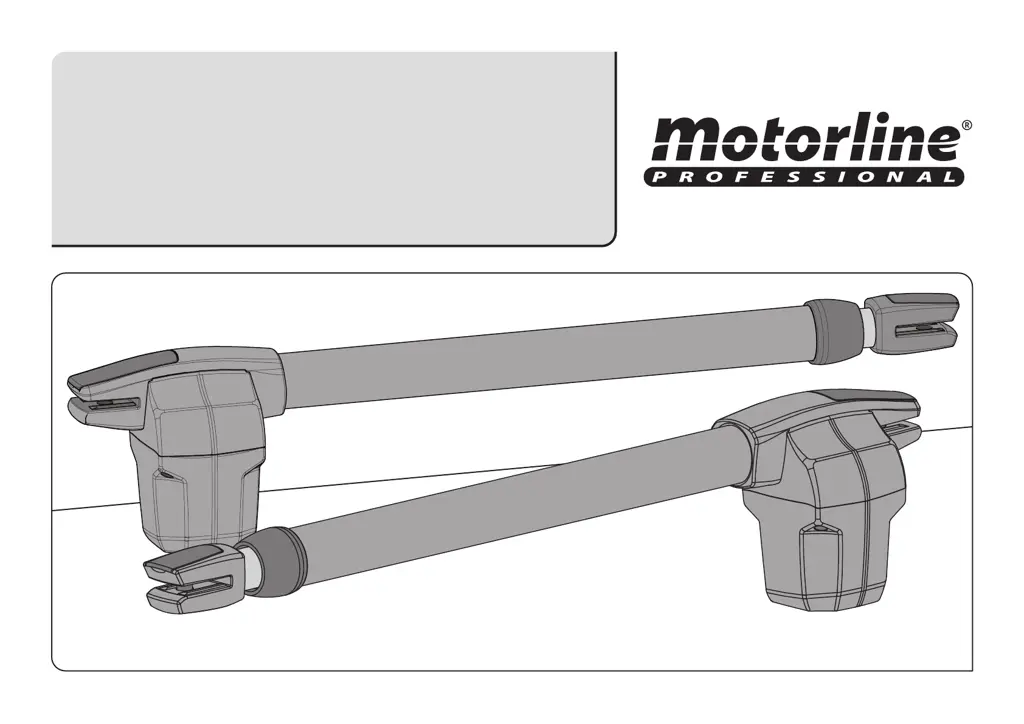
Motorline professional LINCE 400 - User Manual

Motorline professional LINCE 400
10 pages
Print Icon
To Next Page IconTo Next Page
Loading...
LINCE 400/600
Users and Intallers manual
v1.0
REV. 09/2013

Questions and Answers

  • R
    Richard ColemanAug 3, 2025
    What to do if my Motorline professional LINCE 400 Gate Opener motor opens but doesn’t close?
    • K
      Kathy ThomasAug 3, 2025
      If your Motorline professional gate opener motor opens but doesn’t close, here are a few things you can check: * First, unlock the motor and manually move the gate to the closed position. Then, lock the motor(s) again, turn off the power supply for 5 seconds, reconnect it, and send the command to open the gate using the transmitter. * Check for any obstructions in front of the photocells. * Also, verify that none of the gate's control devices (key selector, push button, video intercom, etc.) are stuck, sending a continuous signal to the control unit. If you suspect a faulty control device, replace it with a functional one to see if the operator works correctly with the other devices.
  • J
    Jasmine LewisAug 8, 2025
    How to troubleshoot a Motorline professional LINCE 400 Gate Opener motor that doesn’t move but makes noise?
    • K
      Kelsey RodgersAug 8, 2025
      If your Motorline professional gate opener motor is making noise but not moving, unlock the motor and move the gate by hand to check for mechanical problems. Also check all motion axis and associated motion systems related with gate and operators (pins, hinges, etc.) to find out what is the problem.
  • S
    Sharon WelchAug 13, 2025
    Why does my Motorline professional LINCE 400 Gate Opener move easily?
    • J
      Jane SotoAug 13, 2025
      If your Motorline professional gate moves easily, check the capacitors by testing them through direct connection to the power supply. If the capacitors are not the issue, disconnect the motors from the control board and test them for diagnosis. If the motors function correctly and move the gate forcefully throughout its entire course, the problem lies with the control unit.
  • M
    Melanie BuchananAug 17, 2025
    What to do if Motorline professional Gate Opener opens but doesn’t close?
    • S
      Sandra BarnesAug 17, 2025
      If your Motorline professional Gate Opener motor opens but doesn’t close, first unlock the motor and manually close the gate. Then, lock the motor(s) again, turn off the power supply for 5 seconds, and reconnect it. Try sending the open command via the transmitter. Also, check for any obstructions blocking the photocells or if any control devices, such as a key selector or push button, are jammed and sending a continuous signal to the control unit.
  • A
    Ashley WallaceAug 23, 2025
    How to troubleshoot Motorline professional Gate Opener when the motor doesn’t move but makes noise?
    • M
      Matthew SerranoAug 23, 2025
      If your Motorline professional Gate Opener motor makes noise but doesn't move, unlock the motor and move the gate by hand to check for any mechanical issues. Inspect all motion axes and associated systems like pins and hinges to identify the problem.
  • E
    emily36Aug 27, 2025
    Why does my Motorline professional Gate Opener gate move too easily?
    • S
      Sarah ThomasAug 27, 2025
      If the Motorline professional Gate Opener gate moves easily, check the capacitors by connecting them directly to the power supply to see if they are faulty. If the capacitors are fine, disconnect the motors from the control board and test them for diagnosis. If the motors don’t work, remove them and send them to Motorline technical services for diagnosis.

Summary

Safety Instructions

General Safety Precautions

Essential safety guidelines for installation and use to prevent injury and material damage.

Package Contents

Inside Package Details

Lists all components included in the product package for verification.

Operator Functionality

Core Functionality

Describes the operator's primary function for automatic swing gate opening.

Functionality and Transformation

Details on the operator's flexibility and transformation for different gate leaves.

Manual Release Procedure

Instructions on how to manually release the operator for gate movement.

Operator Technical Specifications

Technical Specifications Overview

Detailed technical specifications for LINCE 400 and LINCE 600 models.

Installation Guidelines

Vertical Installation Dimensions

Guidelines for vertical installation dimensions to prevent water infiltration.

Horizontal Installation Dimensions

Diagrams and tables detailing horizontal installation dimensions for the automated system.

Step-by-Step Installation

Comprehensive step-by-step guide for the correct installation of the operator.

Installation Connection Map

Illustrates the wiring and connection layout of the automated system components.

Troubleshooting Guidance

Consumer Troubleshooting Instructions

Troubleshooting steps and guidance for end-users experiencing issues.

Specialized Installer Troubleshooting

Advanced troubleshooting procedures for qualified installers.

Component Testing and Maintenance

Capacitor Connection Scheme Test

Diagram for testing components using a direct 230V AC power supply with a capacitor.

Stainless Steel Arm Maintenance

Procedure for cleaning and lubricating the operator's stainless steel arm.

Pin Lubrication Procedure

Steps to lubricate support pins for reduced friction and smooth operation.

Motor Support Inspection

Verifying that motor supports are securely fixed for proper equipment function.

Motorline professional LINCE 400 Specifications

General IconGeneral
Max. Gate Weight400 kg
Operating Temperature-20°C to +55°C
Protection ClassIP44
Protection RatingIP44
Safety FeaturesObstacle detection
Control OptionsRemote control, push button

Related product manuals