QUICKSTART GUIDE | VB400 4
HOW TO CHARGE YOUR VB400
Upon receiving your VB400, it is recommended that you fully charge the device before usage.
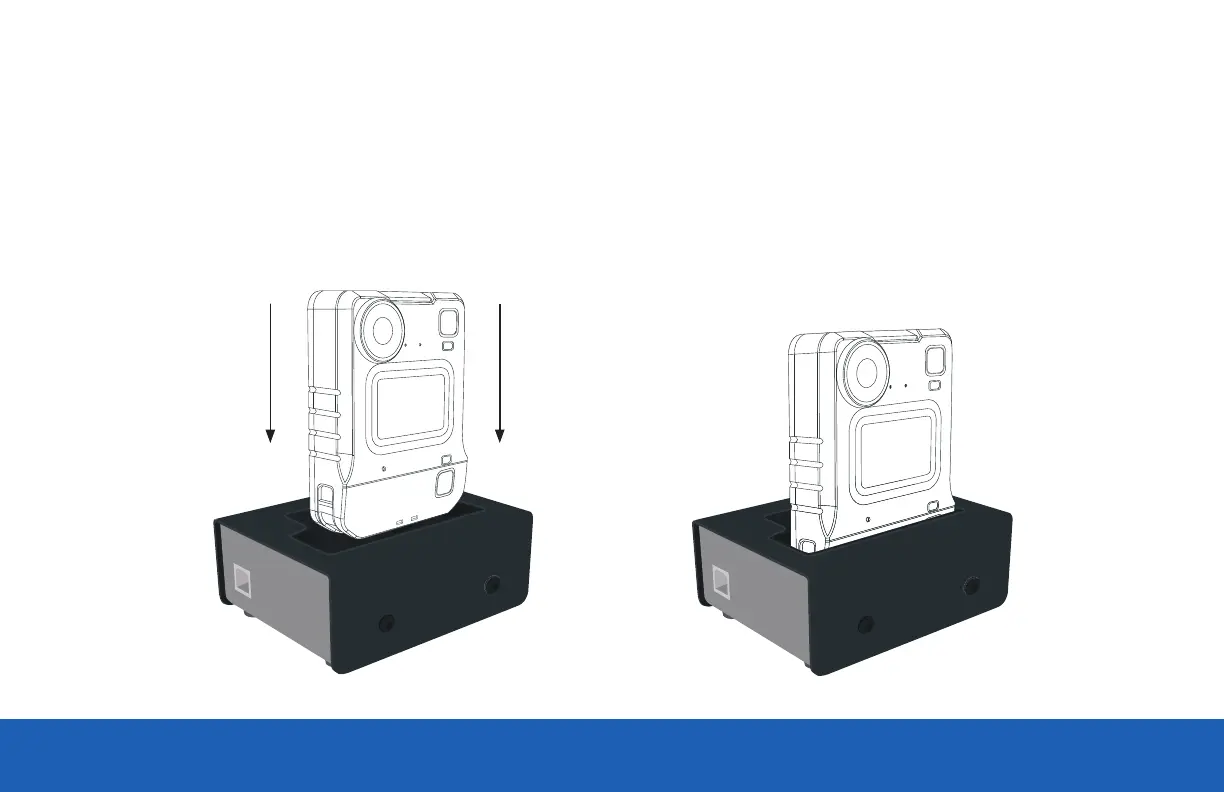
When charging using a 1-Port Dock or 14-Port Dock, insert the camera into the slots as shown below, ensuring the camera clicks securely in place.
Check that the top LED blinks green to indicate charging.
Slide down to
click into place



 To Next Page