EasyManua.ls Logo

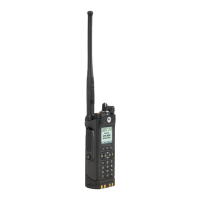
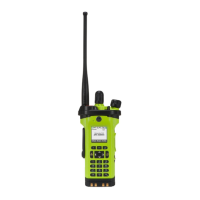
Motorola APX 3000 - User Manual

Motorola APX 3000
104 pages
Print Icon
To Next Page IconTo Next Page
Loading...
APX™ TWO-WAY RADIOS
APX 3000
USER GUIDE
APX2000_M1_Front_Cover.fm Page 1 Tuesday, February 19, 2013 10:59 AM

Table of Contents

Other manuals for Motorola APX 3000

Questions and Answers

  • N
    njohnsonSep 23, 2025
    Why is there no LED feedback when turning on my Motorola Portable Radio?
    • B
      Brian ThompsonSep 23, 2025
      If there is no LED feedback when turning on your Motorola Portable Radio, and the battery is not running out of power, the reason might be due to your radio being previously turned off at a preprogrammed light-off mode channel for covert use. Therefore, it turns on at the last turned-off channel for the same reason. Use zone channel control or preprogrammed MS1 or MS2 to go to the preset channel which does not have light disabled to unview the LED.
  • H
    Heather PittsAug 25, 2025
    What to do if my Motorola APX 3000 cannot connect to a Bluetooth accessory?
    • S
      Scott MorrisAug 25, 2025
      If your Motorola Two-Way Radio is unable to connect with a Bluetooth accessory, verify that the accessory's battery is charged and functioning correctly. Also, ensure that the accessory device is in pairing mode.
  • J
    Jessica SolomonAug 25, 2025
    What to do if there is no LED feedback upon turning on my Motorola Two-Way Radio?
    • C
      Carrie BurkeAug 26, 2025
      If your Motorola Two-Way Radio doesn't show any LED feedback when you turn it on, the radio might have been turned off in a preprogrammed zone/channel where LED lights are disabled for covert operation. Try changing to a zone/channel where LED lights are enabled. Also, make sure to connect an audio accessory to hear the audio alerts or transmission. If this doesn't work, check the battery by docking it into the charger.
  • B
    brian94Aug 27, 2025
    What to do if my Motorola APX 3000 Two-Way Radio has a Hardware board mismatch?
    • H
      Heather SwansonAug 27, 2025
      If your Motorola Two-Way Radio displays a hardware board mismatch error, updating the firmware should resolve the error message.
  • M
    Megan BoyleAug 27, 2025
    What to do if my Motorola Two-Way Radio has a Hardware board mismatch then Man-Down HW error?
    • R
      Richard SolisAug 27, 2025
      If your Motorola Two-Way Radio displays a hardware board mismatch followed by a Man-Down HW error, updating the firmware should resolve the error message.
  • T
    Troy AyalaSep 14, 2025
    What to do if my Motorola APX 3000 has a DSP RAM Fatal Error?
    • M
      monicadiazSep 14, 2025
      If your Motorola Two-Way Radio displays a DSP RAM Fatal Error, turn the radio off, then on.
  • J
    Joshua FernandezSep 12, 2025
    What to do if my Motorola APX 3000 Two-Way Radio has a DSP ROM Checksum Fatal Error?
    • D
      David StewartSep 12, 2025
      If your Motorola Two-Way Radio displays a DSP ROM Checksum Fatal Error, send the radio to depot.
  • J
    james30Sep 13, 2025
    What to do if my Motorola APX 3000 has a General DSP Hardware Failure?
    • K
      Karen BaileySep 13, 2025
      If your Motorola Two-Way Radio experiences a General DSP Hardware Failure (DSP startup message not received correctly), turn the radio off, then on.
  • M
    matthewroweSep 4, 2025
    What to do if my Motorola APX 3000 has a Host ROM Checksum Fatal Error?
    • J
      jasongarciaSep 5, 2025
      If your Motorola Two-Way Radio displays a Host ROM Checksum Fatal Error, send the radio to depot.
  • S
    Sabrina FieldsSep 2, 2025
    What to do if my Motorola APX 3000 has a Security Partition Checksum Fatal Error?
    • G
      gregoryhorneSep 2, 2025
      If your Motorola Two-Way Radio displays a Security Partition Checksum Fatal Error, send the radio to depot.

Summary

RF Energy Exposure and Product Safety Guide

Radio Controls

Overview of the radio's physical controls and their functions.

LED Indicators and Bluetooth Pairing

Important Safety Information

RF Energy Exposure and Product Safety Guide

Information on safe usage and RF energy awareness.

Preparing Your Radio for Use

Identifying Radio Controls

Radio Parts and Controls

Identifies and describes the physical components of the radio.

Programmable Features

Explains features that can be assigned to radio controls.

Multi-Functional Button (MFB)

Details the MFB's role in selecting features and adjusting settings.

Using Push-To-Talk (PTT) Button

Explains the function and usage of the PTT button.

Identifying Status Indicators

Status Icons

Explains the meaning of icons displayed on the DRSM.

LED Indicator

Describes the status indicated by the radio's LED lights.

Alert Tones

Explains the different alert tones and their meanings.

General Radio Operation

Advanced Features

Emergency Operation

Procedures for handling critical situations.

Sending an Emergency Alarm

Sends a data transmission identifying the radio in emergency.

Sending a Silent Emergency Alarm

Sends an alarm without audio or visual indicators.

Man Down

Feature detecting potential user trouble via tilt or motion.

Secure Operations

Provides high levels of voice security.

Helpful Tips

Troubleshooting

Solutions for common radio operational issues.

Motorola APX 3000 Specifications

General IconGeneral
Frequency RangeVHF: 136-174 MHz
Power OutputVHF: 1-5W; UHF: 1-4W
Water ResistanceIP67
Operating Temperature-30°C to +60°C (-22°F to +140°F)
EncryptionAES, DES, ADP

Related product manuals