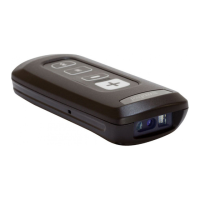
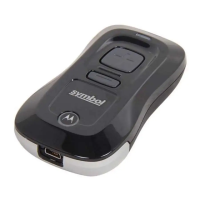
6 CS3000 Series
Connecting to a Host
Batch Connection
See Charging on page 4 for instructions on
connecting the scanner to a host PC via USB.
Bluetooth Connection
Pairing
For RF-enabled scanners, to pair to a
Bluetooth-enabled host:
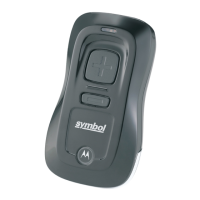
1. Press the scan button (+) to wake the scanner.
2. Press and hold the Bluetooth button (round
button with Motorola logo) for five seconds.
The scanner beeps and the Bluetooth button
starts blinking quickly to indicate that the
scanner is discoverable by the host.
3. On the host PC, launch the third party
Bluetooth pairing application and place the
application into discover Bluetooth device
mode.
4. Select the CS3070 from the discovered device
list. The Bluetooth application may prompt you
to scan a passkey it generated, or for you to
create and then scan a pin.
Note To enter batch scanning mode, the
scanner cannot be paired to a
Bluetooth host (applies to CS3070
model only).
Note If the host does not support
Bluetooth communication, a
third-party Bluetooth adapter is
required.


 To Next Page
 Loading...