EasyManua.ls Logo

Motorola Symbol DS9808 - User Manual

Motorola Symbol DS9808
2 pages
Print Icon
To Next Page IconTo Next Page
Loading...
http://www.motorola.com/ds9808
SYMBOL DS9808
RS-232
USB
IBM 46XX
2
1
3
DS6708 Poster
BLACK
PANTONE 285
Perforation
DS6708 Poster
POST IN WORK AREAPOST IN WORK AREA
Quick Start Guide
ACCESSORIES
CORD ATTACHMENT/REMOVAL
See Product Reference Guide
for detailed information
HOST INTERFACES
NOTE: Cables may vary depending on configuration
TROUBLESHOOTING
No power to scanner
Check system power;
ensure power supply,
if required, is connected
Incorrect interface cable used
Ensure that correct
interface cable is used
Ensure all cable connections
are secure
Scan appropriate host parameter bar codes Ensure all cable connections are secure
Interface/power cables are loose
Scanner not working
Bar code unreadable
Ensure bar code is not defaced;
try scanning test bar code of same
bar code type
Distance between scanner
and bar code incorrect
Move scanner closer to
or further from bar code
Scanner not programmed
for bar code type
Ensure scanner is programmed
to read type of bar code being
scanned
Scanner not decoding bar code
Scanner not programmed for correct host interface Interface cable is loose
Scanner decoding bar code, but data not transmitting to host
Scanner not programmed for correct host interface
Scan appropriate host parameter bar codes
Scanned data incorrectly displayed on host
SYMBOL DS9808 PROGRAMMING BAR CODES
1 LED Indicators
2 Scan Window
3 Scan Trigger
Wall Mount
SET DEFAULTS
HID KEYBOARD EMULATION
IBM HAND-HELD USB
<DATA><SUFFIX 1>
ICL RS-232
NIXDORF RS-232 MODE A
NIXDORF RS-232 MODE B
FUJITSU RS-232
OPOS/JPOS
Keyboard Wedge
IBM PC/AT and IBM PC COMPATIBLE
STANDARD RS-232
RS-232 Host Types
Enter Key (Carriage Return/Line Feed)
Set Defaults
USB Host Types
Keyboard Wedge Host Types
Scan ONE of the following country types
NORTH AMERICAN
FRENCH
FRENCH CANADIAN
SWEDISH
JAPANESE
ITALIAN
SPANISH
UK ENGLISH
GERMAN
SNAPI WITH IMAGING
SNAPI WITHOUT IMAGING
Power supply optional
PORT 5B
PORT 9B
IBM 46XX Host Types
PORT 17

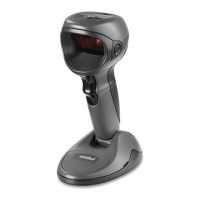
Other manuals for Motorola Symbol DS9808

Questions and Answers

  • C
    christopher24Aug 20, 2025
    What does low/high beeps mean on Motorola Barcode Reader during programming?
    • I
      iholmesAug 20, 2025
      If your Motorola Barcode Reader emits low/high beeps during programming, it indicates an input error or that a Cancel barcode was scanned. Scan the correct numeric barcodes within range for the parameter programmed.
  • A
    Angel ThompsonAug 22, 2025
    What does Motorola Symbol DS9808's low/high/low/high beeps mean during programming?
    • J
      Joshua JohnsonAug 22, 2025
      If your Motorola Barcode Reader emits low/high/low/high beeps during programming, it means you're out of ADF parameter storage space. Erase all rules and re-program with shorter rules.
  • C
    Charles BarberAug 25, 2025
    What does it mean if my Motorola Symbol DS9808 emits low/high beeps during programming?
    • E
      Elizabeth WebbAug 25, 2025
      If the digital scanner emits low/high beeps during programming, it indicates an input error or that a Cancel bar code was scanned. Scan the correct numeric bar codes within range for the parameter programmed.
  • J
    Jordan SmithAug 26, 2025
    What does it mean if my Motorola Symbol DS9808 Barcode Reader emits low/high/low/high beeps during programming?
    • J
      John HumphreyAug 27, 2025
      If the digital scanner emits low/high/low/high beeps during programming, it means that you are out of ADF parameter storage space. Erase all rules and re-program with shorter rules.
  • M
    michael96Aug 29, 2025
    What to do if Motorola Symbol DS9808 Barcode Reader aiming pattern does not appear?
    • B
      Brandon MeyerAug 30, 2025
      If the aiming pattern on your Motorola Barcode Reader doesn't appear when you press the trigger, check the following: ensure the digital scanner has power (re-connect the power supply if required), verify you're using the correct host interface cable (connect the correct host interface cable), and make sure all interface/power cables are securely connected (re-connect cables). Also, the digital scanner may be disabled (enable the digital scanner via the host interface for IBM 468x and USB IBM hand-held, IBM table top, and OPOS modes). If using RS-232 Nixdorf B mode, ensure the CTS line is asserted. Finally, the aiming pattern itself might be disabled (enable the aiming pattern).
  • A
    aimee79Aug 31, 2025
    How to fix Motorola Symbol DS9808 that decodes but host displays data incorrectly?
    • K
      Kelly BurkeAug 31, 2025
      If your host displays scanned data incorrectly from the Motorola Barcode Reader, ensure the scanner is programmed to work with the host by scanning the appropriate host type programming bar code. For RS-232, set the scanner's communication parameters to match the host's settings. If you have a Keyboard Wedge configuration, program the system for the correct keyboard type and turn off the CAPS LOCK key. Also, program the proper editing options (e.g., UPC-E to UPC-A Conversion).
  • J
    Jason HarrisonSep 2, 2025
    Why Motorola Barcode Reader emits aiming pattern, but does not decode the bar code?
    • R
      Raymond HallSep 2, 2025
      If your Motorola Barcode Reader emits the aiming pattern but doesn't decode the barcode, it might be because the scanner isn't programmed for the correct barcode type (program the digital scanner to read that type of barcode). Alternatively, the barcode symbol may be unreadable (scan test symbols of the same barcode type to determine if the barcode is defaced), or the symbol is not completely inside the aiming pattern (move the symbol completely within the aiming pattern).
  • D
    Dalton BowmanSep 4, 2025
    What to do if Motorola Symbol DS9808 emits 4 short high beeps during decode?
    • C
      cindy74Sep 4, 2025
      If your Motorola Barcode Reader emits 4 short high beeps during a decode attempt, it indicates that the scanner has not completed USB initialization. Wait several seconds and scan again.
  • D
    David WellsSep 8, 2025
    What to do if the aiming pattern does not appear when pressing the trigger on my Motorola Symbol DS9808 Barcode Reader?
    • J
      Jacqueline SummersSep 8, 2025
      If the aiming pattern does not appear when pressing the trigger, consider the following: * Check if there is power to the digital scanner. If the configuration requires a power supply, re-connect the power supply. * Verify that the correct host interface cable is used and properly connected. * Ensure that all interface/power cables are securely re-connected. * If using IBM 468x and USB IBM hand-held, IBM table top, and OPOS modes, enable the digital scanner via the host interface. Otherwise, consult with the technical person in charge of scanning. * If using RS-232 Nixdorf B mode, ensure that the CTS line is asserted. * Confirm that the aiming pattern is enabled. If not, enable the aiming pattern.
  • M
    meagan85Sep 10, 2025
    Why does my Motorola Symbol DS9808 display scanned data incorrectly on the host?
    • D
      Daniel LewisSep 10, 2025
      Incorrectly displayed scanned data can occur due to several reasons: * The digital scanner is not programmed to work with the host. Scan the appropriate host type programming bar code. * For RS-232, set the digital scanner's communication parameters to match the host's settings. * For a Keyboard Wedge configuration, program the system for the correct keyboard type, and turn off the CAPS LOCK key. * Program the proper editing options (e.g., UPC-E to UPC-A Conversion).

Summary

Scanner Configuration and Troubleshooting

Troubleshooting Common Scanner Issues

Addresses problems like scanner not working, not decoding bar codes, data transmission failures, and incorrect data display.

Programming Bar Codes for Configuration

Provides bar codes for setting default configurations, carriage return/line feed, host interfaces, and country-specific settings.

Scanner Operation Modes and Best Practices

Optimal Scanning Techniques

Details on achieving optimal scanning through correct arm position, avoiding extreme wrist angles, and proper bending/reaching.

LED Indicator Meanings

Explains the meaning of LED indicators for Power, Bar code decoded, Transmission error, and Beeper status during operation.

Regulatory and Safety Information

Health and Safety Recommendations

Provides essential health, safety, and environmental recommendations for using the Symbol DS9808 scanner.

Compliance and Certification Statements

Includes compliance statements for FCC, IC, CE, and other regulatory bodies, plus laser safety information.

Motorola Symbol DS9808 Specifications

General IconGeneral
BrandMotorola
ModelSymbol DS9808
CategoryBarcode Reader
LanguageEnglish

Related product manuals