38 Wi-Fi® Internet Viewing
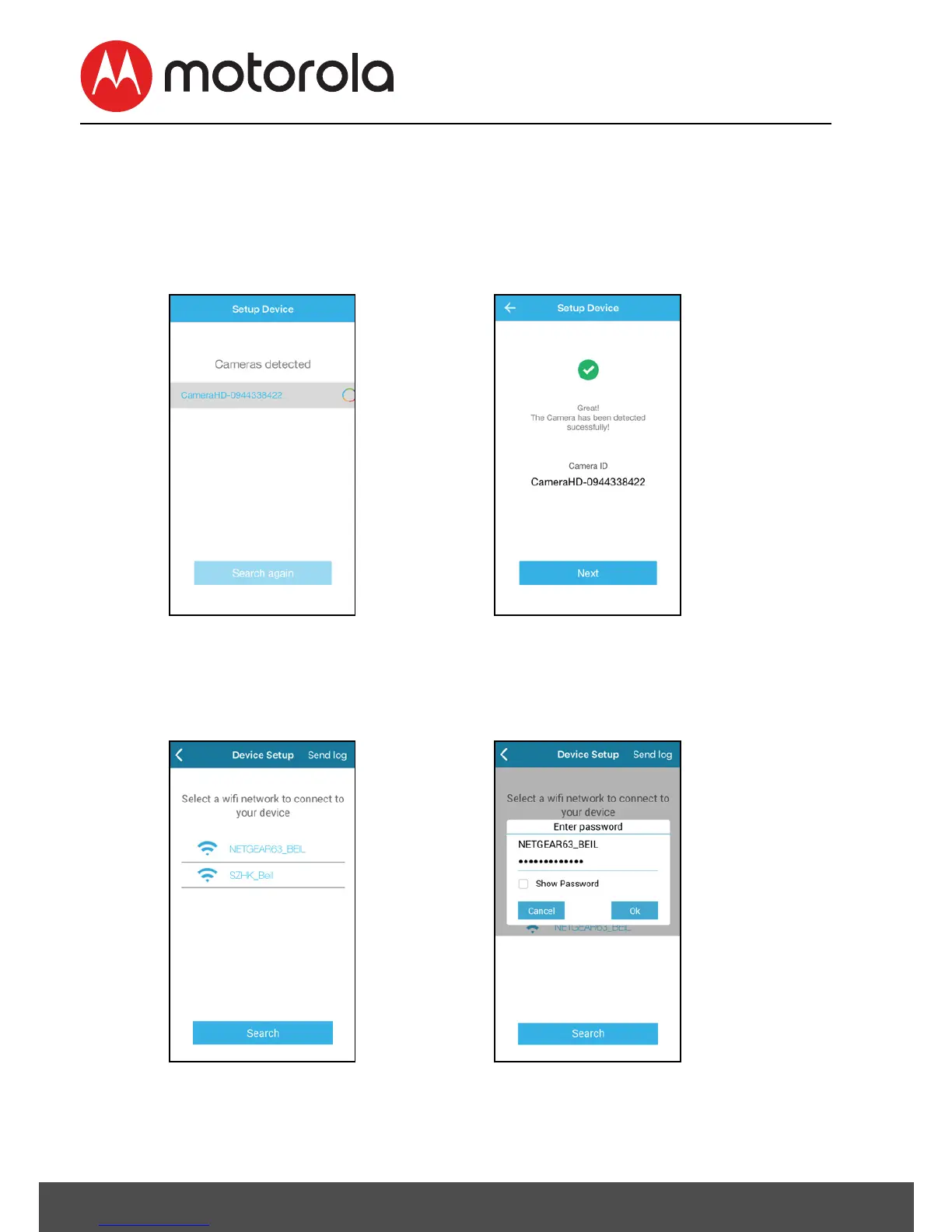
• Tap Continue on the screen, your iOS®device is detecting the
Camera, this might take a minute, the Camera SSID will appear
on your iOS® device (Picture i9).
• Confirm by tapping the SSID and the Camera is detected
successfully (Picture i10)
• Tap NEXT to search Wi-Fi® network, select your Wi-Fi®
network from the list and tap Search (Picture i11).
• Enter Wi-Fi® password and tap OK (Picture i12).











 To Next Page