10 Getting to know your phone
2. Getting to know your phone
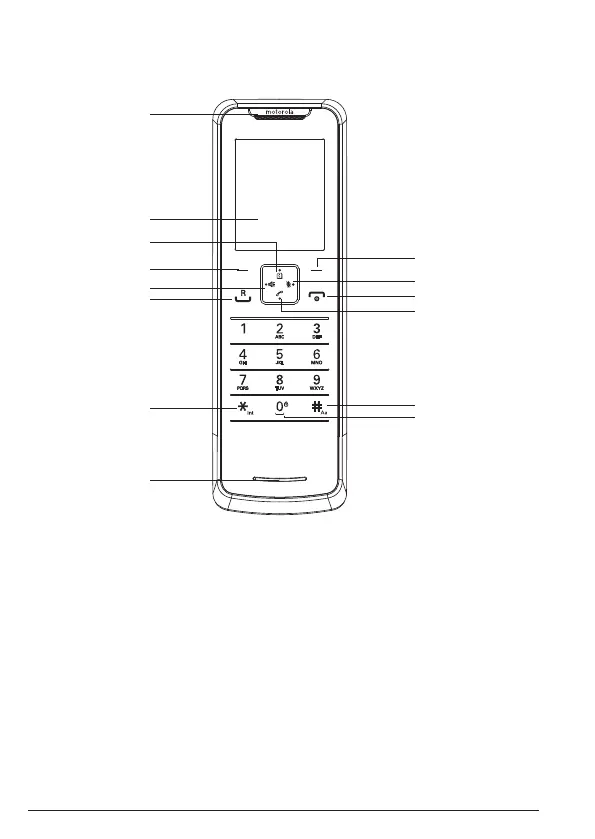
Overview of your handset
A Earpiece
B Display
See page 12 for display icons.
C Phonebook / Scroll up / Volume up
Open the phonebook.
Scroll up through lists and menus.
Increase the earpiece volume during a call.
D Menu / OK
Enter the main menu.
Select the option displayed on screen.
Conrm menu option –
OK
is displayed on screen.
E Hands-free
Activate and deactivate hands-free during a call.
Make or answer a call in hands-free.
A
B
C
D
E
F
G
H
I
J
K
M
L
N


 To Next Page
 Loading...








