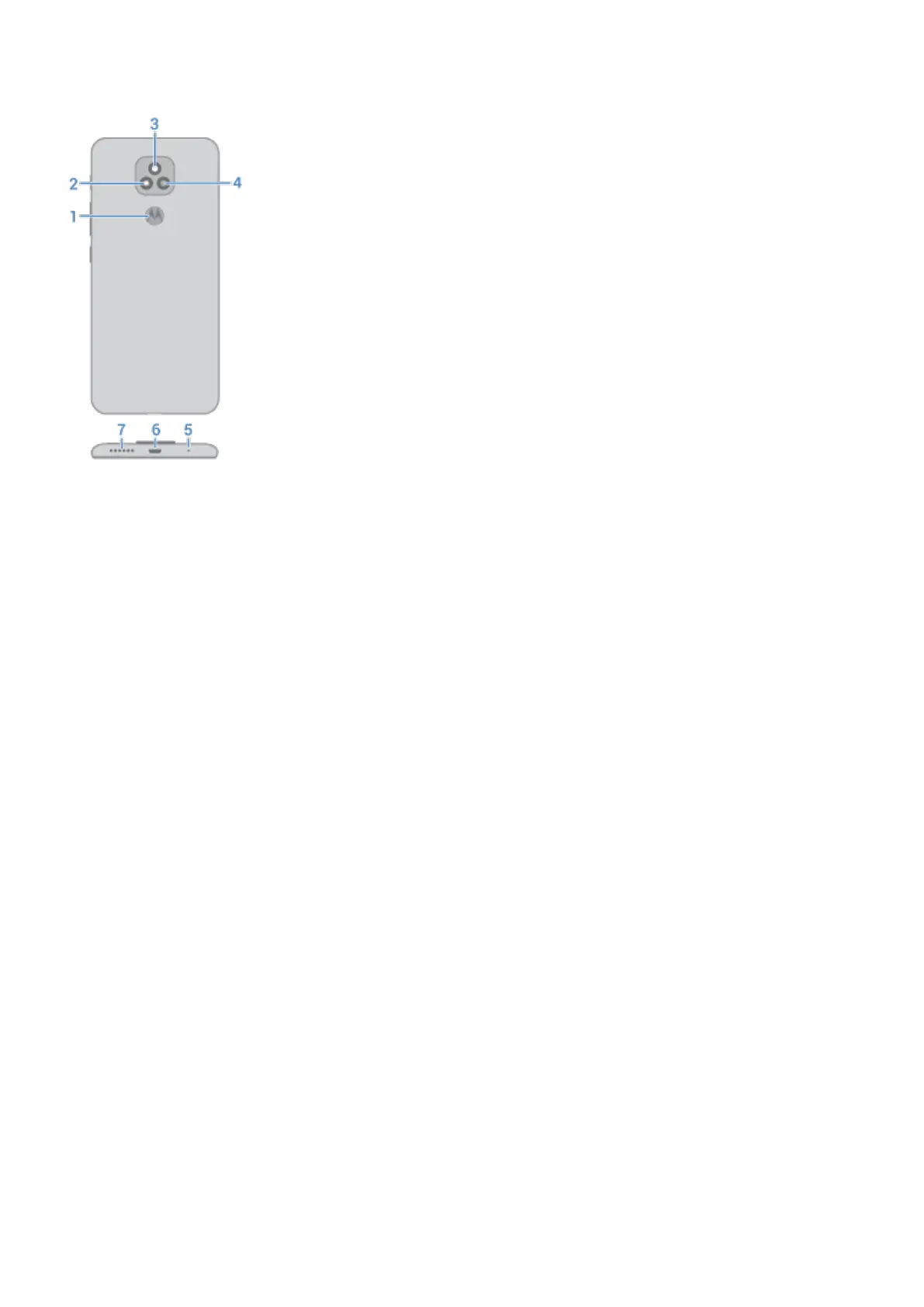
1. Fingerprint sensor
2. Depth camera (To learn more, read help in Camera app.)
3. LED flash
4. Main camera
5. Microphone
6. Micro USB port for charging, transferring files, sharing connection with tethered devices.
7. Speaker
Care for your phone
To clean the screen:
•
While this does not disinfect your phone, the best way to keep your phone clean is to wipe it thoroughly with a
dry soft cloth. Avoid abrasive cloths, including paper towels and other materials with rough surfaces.
•
If the screen gets drops of liquid on it, wipe it with a clean, dry cloth.
To disinfect your phone:
•
It is okay to use wipes or cloths moistened with 70% isopropyl alcohol or Clorox® Disinfecting Wipes to gently
wipe your screen.
•
When disinfecting or cleaning your phone, turn it off and avoid getting any moisture in its openings, including
the charging port, headphone jack, microphones and speakers.
•
Don't submerge your phone in any cleaning agents, avoid using any cleaners with bleach or abrasives, and
avoid spraying cleaners directly on the screen.
The CDC advises to clean and disinfect frequently touched surfaces daily.
Set up phone
2













 To Next Page