Live Caption uses more battery. When your battery gets low and Battery Saver is on, Live Caption automatically
turns off.
Change caption settings
You can hide or show:
•
Profanity
•
Sound labels (laughter, applause, music)
•
Caption icon in volume controls
1. to Settings > Accessibility > Live Caption.
2.
Turn settings on or off .
Turn on video captions
1. Go to Settings > Accessibility.
2.
Touch Caption preferences and turn Use captions on .
3. Specify options (language, text size, and style) for closed captioning.
Use hearing aids
To improve compatibility with hearing aids and reduce sound feedback:
1.
Touch .
2.
Touch > Settings > Accessibility.
3.
Turn Hearing aids on .
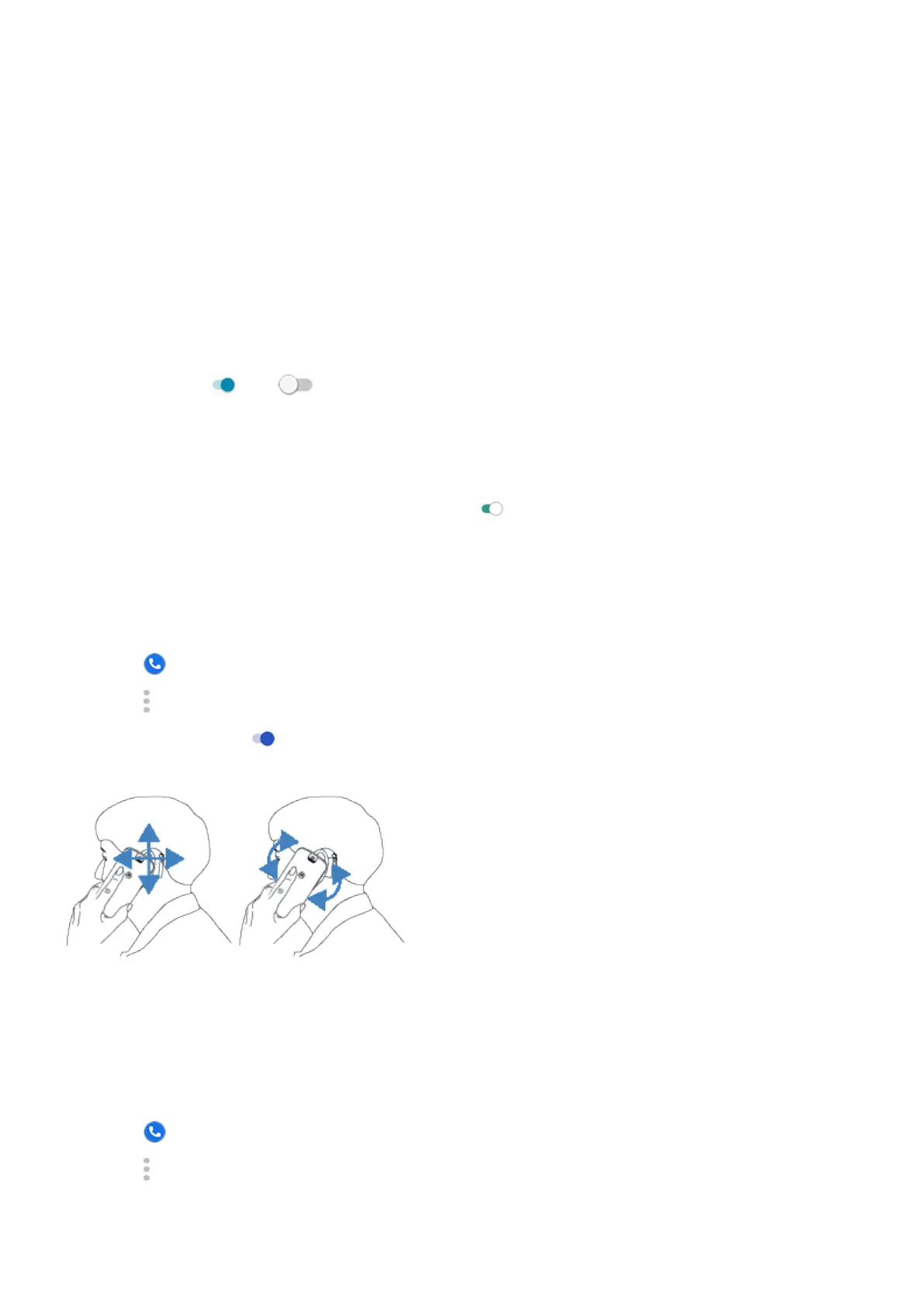
During a call, hold the phone to your ear, then rotate or move it to get the best position for speaking and listening.
Set up TTY device
Not all carriers support this feature.
For text-based communication, you can use text messaging and email.
If you prefer to connect to a TTY device:
1.
Touch .
2.
Touch > Settings > Accessibility > TTY mode.
Set up phone : Accessibility settings
15













 To Next Page