Step 6
Make the Necessary Adjustments and Manage the Wires
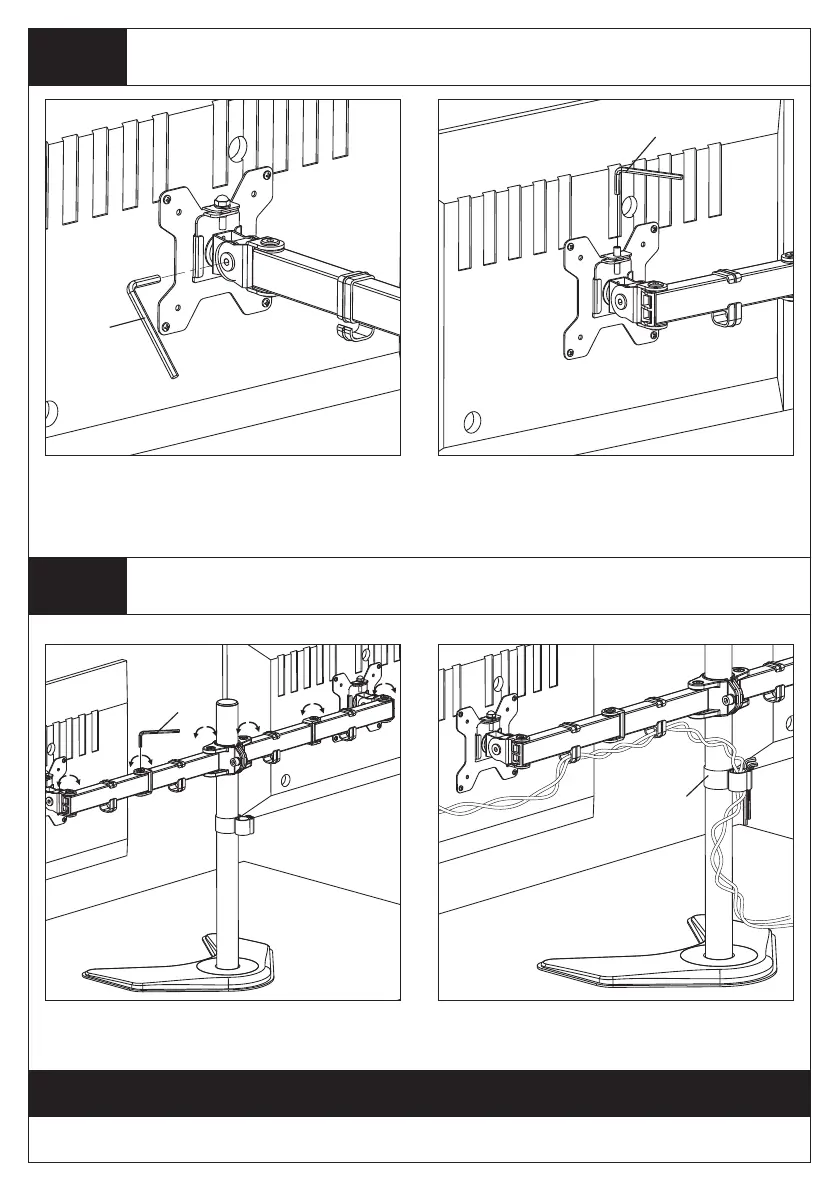
Step 5
Fix the Tilt Angle and Adjust the Level of Monitor
6
o
Use the supplied Allen Key(o) to make
the necessary adjustments.
o
Tighten the bolt with the supplied Allen
Key(o) to fix the tilt angle.
Fix the tilt angle
Thank you for choosing our products!
Ignore this step if
monitors are level
If one monitor is lower, remove the Nut(h) and
turn the bolt counter-clockwise with supplied
Allen key(o) to raise the monitor. Install the
Nut(h) after the adjustment.
Manage the wires and store the Allen
keys(o) in Wire Clip(n1) for future use.
n1
o


 To Previous Page