8
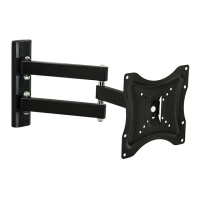
8. Adjusng Your Display: Once your display is mounted you can make adjustments of the lt, sag, twist,
and ease of moon. The mount allows for adjustment of each of these.
Tilt Adjustment: To adjust the angle of lt, there is a bolt in the center of the TV plate.
Once this bolt is loosened, the TV lt can be adjusted by pushing or pulling on the top and boom of the TV
Bezel.
Sag Adjustment: If you are experiencing sag you can ghten the bolts in the arm joints
using an allen wrenches. If you ghten these joints too much it can make it more difficult to extend and
colla pse th e arm. If aer ghtening th e bolt s you a re sl l ex perienc in g sag, you ca n insert a sp acer
between the back of the wall plate and the wall. To do so, you would need to first parally unscrew the
boom lag bolt of the wall plate and then insert a spacer between the wall plate and the wall. This angles
the wall plate upward and offsets the sag.
Rotaon Adjustment: If, once installed, your display is not level, there is approximately±4°
of rotaon adjustment built in to your TV plate. To adjust the rotaon, loosen the same bolt that controls
the lt. Once loosened, the TV plate will rotate up to 4° clockwise or counterclockwise. If you need more
than 4° of rotaon adjustment, you can get an addional 1-2° by loosening the lag bolts in the wall plate
and rotang the wall plate. If your display is sll not level you may need to detach and reinstall the wall
plate, intenonally offseng it in the direcon needed.
Ease of Moon: If your mount is difficult to collapse and extend from the wall, you can use
an allen wrench to loosen the bolts in the joints of the arm. If you loosen the joints too much it may cause
your mount to sag.


 To Next Page