EN - 191
3 App connection
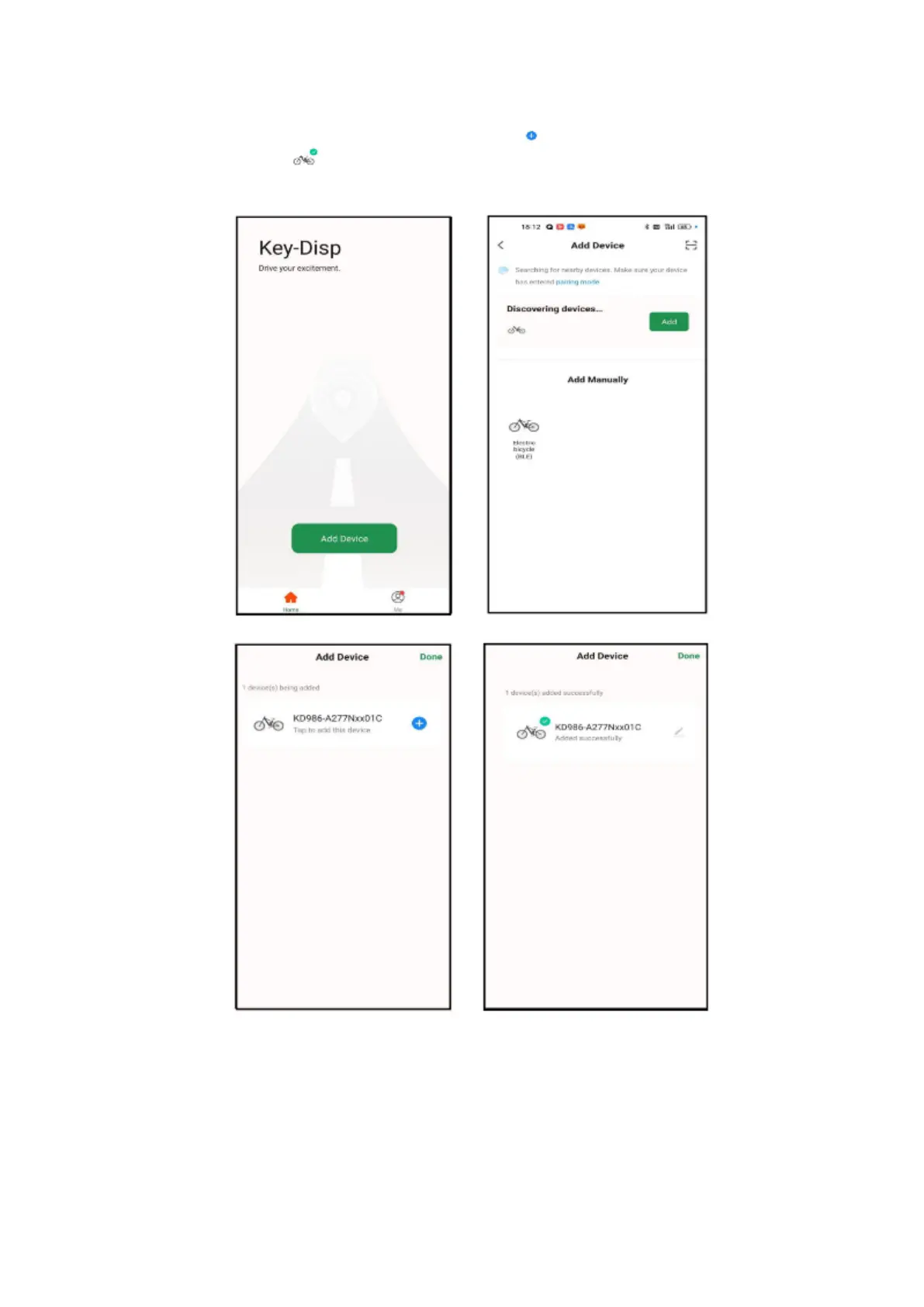
With the control unit switched on in pairing mode, select Add in the application Devices. Available
devices will be searched and displayed.
You connect the selected device by pressing the icon in the application. A successful connection
is indicated by an icon next to the selected device. To end the pairing, select Done. To display
all functions, the application must communicate with the E-bike control unit.



 To Next Page