EN - 199
Normal operation
◆ Switching the System ON/OFF
Press and hold (>2S) on the display to turn on the system. Press and hold (>2S) again to turn
off the system.
If the "automatic shutdown time" is set to 5 minutes (it can be set with the "Auto Off" function, see
"Auto Off"), the display will automatically be turned off within the desired time when it is not in
operation.
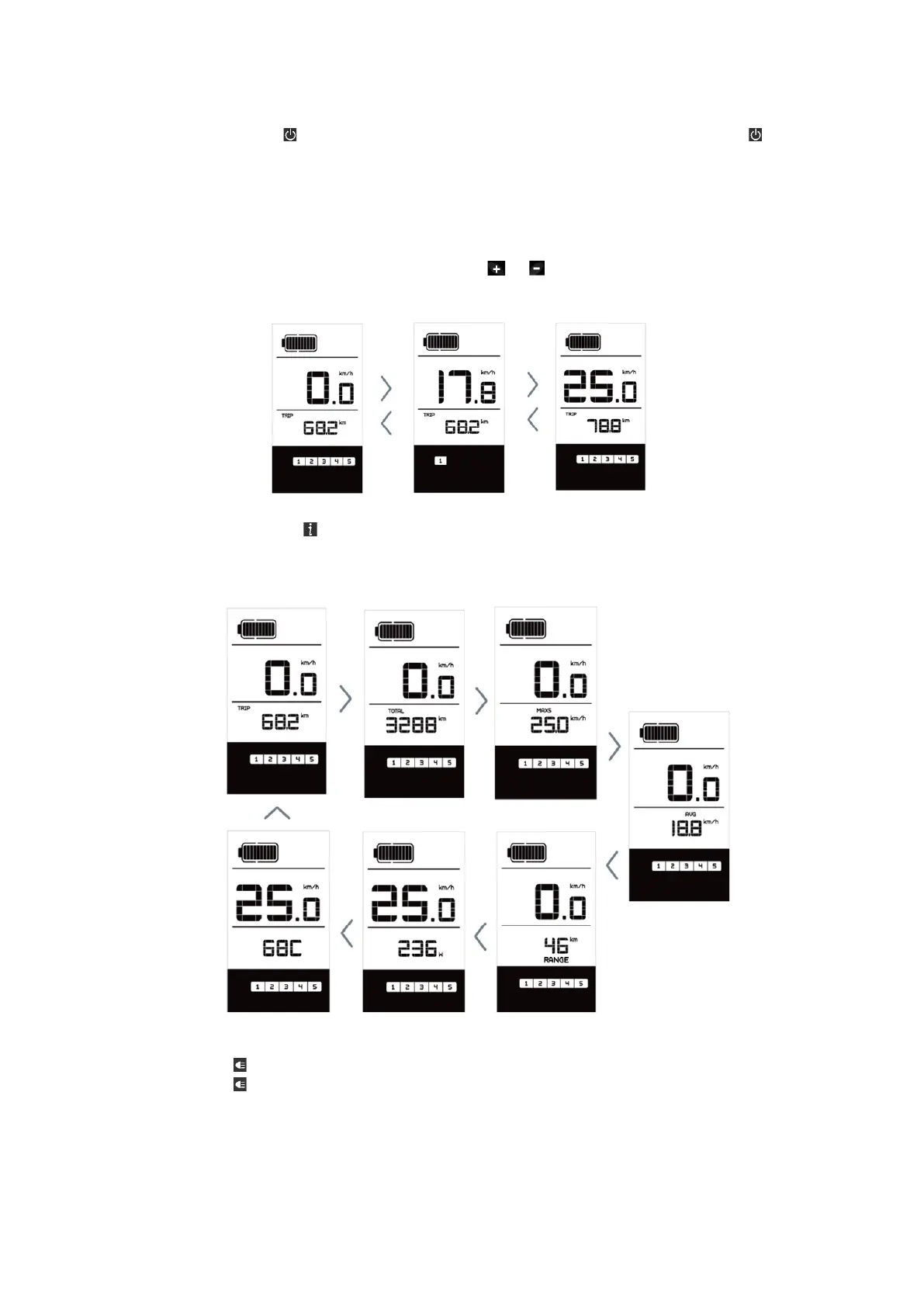
◆ Selection of Support Levels
When the display is turned on, press (<0.5S) the or button to switch to the support level, the
lowest level is 1, the highest level is 5. When the system is switched on, the support level starts in
level 1. There is no support at level null.
◆ Selection mode
Briefly press (<0.5s) the button to see the different trip modes. Trip: daily kilometers (TRIP) -
total kilometers (ODO) - Maximum speed (MAX) - Average speed (AVG) - Remaining distance
(RANGE)
- Output power (POWER) - Energy consumption (C (only with torque sensor fitted)).
◆ Headlights / backlighting
Hold (>2S) the button to activate the headlight and taillights.
Hold (>2S) the button again to turn off the headlight. The brightness of the backlight can be set in
the display settings "Brightness". (If the display /Pedelec is switched on in a dark environment, the
display backlight/headlight will automatically be switched on. If the display backlight/headlight has
been manually switched off, the automatic sensor function is deactivated. You can only turn on the
light manually after switching on the system again.)



 To Next Page